

Why building in-house test automation often takes longer than expected

Dmitry Reznik
Chief Product Officer

Summarize with:
Not only longer but also with extra spending.
A provocative and depreciating statement in some sense.
Let’s face it, the lion’s share of developers’ working hours go down the maintenance. Important direction, for sure, with the only caveat — it doesn’t move your product forward.
Fixing broken tests keeps you in the past, while those who managed to automate this process may be biting out the market share.
Most test automation projects really fail because of this misconception: building test automation is just a software testing task — write the scripts, integrate into CI, expand coverage.
The reality is closer to building a small internal product. A functional automation system requires at least four things:
- The right tools
- Infrastructure to run tests
- A scalable test architecture
- “Hands-free” maintenance process (the one that doesn’t require all your time)
Speaking from experience, you can cover unit and API testing in 2 to 4 weeks, but a full setup takes 6 to 12 weeks. This includes end-to-end coverage, reporting, and CI integration for autonomous runs.
We also can’t help but mention a common blocker — friction. Endless meetings to choose the right tools (purpose, functionality, budget), engineer onboarding, handling first flaky tests, and integrating test automation into a release process that wasn’t built around it.
In this post, we’ll break down the specific decision points and compounding factors that push test automation frameworks well past their original timelines.
Automation framework design takes time
Without exaggeration, whether your test automation initiative would succeed hugely depends on your foundational architectural decisions. They will determine how the test automation system behaves, maybe for years to come.
Most teams underestimate how long this takes, but even more importantly that they underestimate how expensive it is to get it wrong.
Choosing tools is harder than it looks
A common starting question looks like Selenium, Playwright, Cypress, or something else? But tool selection is not even a start.
To choose properly so that you won’t regret it later, it often makes sense to get more specific. Namely:
- Which language does the team know well enough to maintain at scale?
- Do we need cross-browser coverage from the outset, or can we defer it?
- Will the framework handle mobile, API, and UI tests, or should we focus on one layer?
Based on your answers, you can choose tools that require wrapping and advanced configuration, or simpler ones that allow QA rookies to integrate them into the CI pipeline.
Poor architectural choices create long-term maintenance problems
A framework that works for 100 tests may not work out for 1,000, as architecture should be well-thought-out for parallel execution.
Specific common mistakes:
- Skipping the Page Object Model early on: POM detaches test scripts from the UI layer and makes tests easier to maintain when designers or developers change the UI. Skip it upfront, and you end up fixing dozens of scripts instead of one because of just one renamed button.
- Mixing assertions into framework methods: If your framework is based on assertions (not on a state), test failures become almost impossible to trace. Especially, if such a logic overlays on shared utilities. Separating that layer later is the kind of refactor that takes weeks on a mature codebase.
- No centralized configuration: Browser capabilities, environment variables, timeout settings — if these are hardcoded across individual test files, every environment change becomes a multi-file search-and-replace.
- Undefined test automation standards: Without strict coding guidelines, your test repository becomes unreadable. You must define locator strategies (e.g., strictly using data-testid attributes), establish peer review processes for test scripts, and align them with how asynchronous operations are handled.
Standards nobody actually follows
Even a solid architecture becomes a pipe dream without tried-and-tested practices. Under standards, we imply naming conventions, folder structure, when to use data-driven vs. hardcoded inputs, how to handle test isolation, etc. — all documented and practically implemented procedures.
Proper documentation helps us avoid confusion when frameworks’ original authors leave. Given the timeframe of just one design phase (tool evaluation, architecture decisions, proof-of-concept runs, and standard-setting), skipping such practices multiplies expenses and creates chaos.
Writing automated tests takes longer than expected
We have been promoting the idea of test generation speed-up with AI. And we are still sure that artificial intelligence accelerates the transition to test automation.
But we noticed how founders and other C-suite leaders turned to wishful thinking instead of down-to-earth calculations.
That is, the core idea hasn’t changed — AI helps accelerate proper test automation. But we added a thin layer of expectation management.
Because a Senior developer can write a test case in minutes: steps, expected result, and a note on test data. Easy.
An automated script for the same scenario is a different kind of work. It needs to handle timing, state, data setup, assertions, teardown, and edge cases.
Creation of regression testing suites averages around 2 person-hours per test case. Note: early scripts may take even longer if you have newbies who are unfamiliar with your codebase.
One scenario is never just one test
A login flow sounds like a single test case till you start serving it in practice. It's at least five:
- Happy path: valid credentials, successful redirect
- Invalid password: correct error message shown
- Locked account: different error, correct recovery path
- Session persistence: login state survives page refresh
- Concurrent sessions: behavior when the same user logs in on two devices
Each is a separate script with its own data requirements and edge cases.
Test data is its own project
Setting up test data via API or database rather than through the UI is significantly faster and produces more stable tests. Yet, it requires understanding the app’s data model and having direct access to seed or reset state between runs.
Teams that set up test data through the UI end up with slow, brittle scripts that break whenever that UI flow changes.
At scale, this gets complicated fast: Environments need isolated data sets, sensitive data needs masking, parameterized tests need structured inputs, and tests that modify state need teardown logic.
Best practice: Store test data separately from test scripts in external files or databases. However, it also requires design first. Teams that treat data management as an afterthought regret it in 99.9% of cases.
Rough conditional numbers
Given: Goal is to automate 80 test cases for one product module.
Average time for test case creation: 2 hours.
In sum:
- 160 hours of scripting or four engineer-weeks.
- Data setup logic, stability iteration, peer review, and CI integration run 30% to 50% over.
- Actual delivery is closer to 210 to 240 hours.
Conclusion: A full engineer-month for one module.
By no means does this mean test automation is worthless. It isn’t.
The key to making it effective and efficient is the approach.
Test automation maintenance becomes a continuous task
This is exactly the approach we meant — an ongoing engineering work alongside new feature development, bug fixes, and every other item on the workflow.
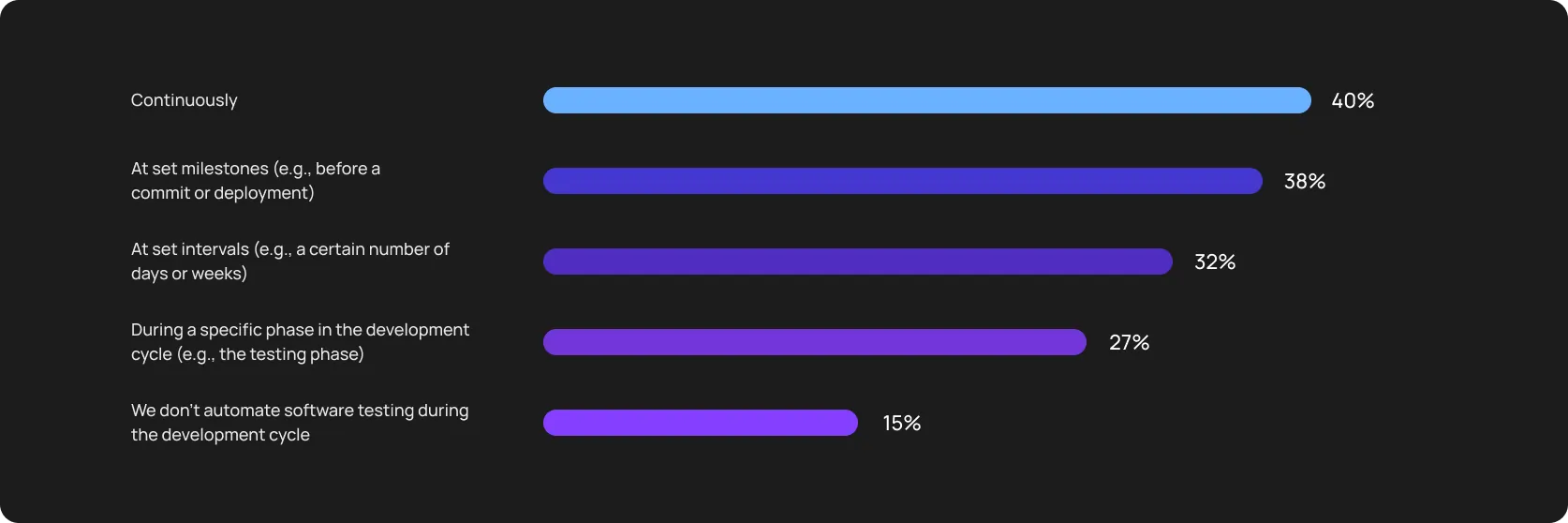
Different sources state that maintenance can consume up to 50% of the time and effort put into test automation. Testing approaches are changing with the apps themselves, and traditional approaches fail because modern software requires a different speed and precision.
That’s why so many teams try to automate testing continuously — they just understand that without it, they are going to lose too much time and money.
What this means for team capacity
Basically, this turns into a capacity problem. A team that spends 30 to 50% of its sprint on maintenance isn’t building coverage for the features that just shipped. Over a quarter, that compounds into a real gap between what’s in production and what’s actually tested.
Another side of the coin is the headcount. The most banal and hard thing — you need to hire more testers to cover 100% of the app. Given the average compensation for a middle-grade tester in the US (about USD 86 K/year), such a move erases business feasibility.
Four things to fight this in your test automation strategy:
- Backed up locator strategies: At least, you can use multiple locators — visible text, ARIA labels, test IDs, and position context together. This makes scripts more resilient to UI changes (yet, tools with self-healing always win here).
- Test ownership: Explicit owners create accountability for teams and visibility for you as a tech leader. And let’s face it, it’s much easier to track who needs to act when several tests break at once.
- Regular suite audits: Conduct a monthly audit to identify scripts that haven’t run in 30 days. Retire or fix them.
- Tagging tests by stability tier: Separating rock-solid smoke tests from newer, less stable scripts lets you treat CI failures differently. A failing smoke test blocks the release, and a tier-2 test just gets logged and fixed in the next sprint.
Key takeaway for managers: If your team has a separate backlog for maintenance, chances are your workload overgrew your team’s capacity. And again, either you have to hire more people, or trim the suite.
But there’s also a third option — change your approach (and, hence, tools).
Infrastructure setup for QA automation requires extra effort
Entirely automated end-to-end testing has two levels we’ve already discussed: mindset and practical implementation. Mindset is more about how to treat test automation properly and what to consider before starting.
On the practice level, it’s about foundation first — your infrastructure. And that part is often underestimated until the team has passed 65% of the implementation.
To avoid this trap, size up hardware, software, and network resources (servers, cloud environments, CI/CD pipelines, etc.).
This typically costs USD 10,000+, depending on scale. Namely:
- Test environments: Automated suites demand highly deterministic staging environments. If your staging database is shared among manual testers, automated scripts, and third-party integrations, you’ll encounter data collisions.
- Browser testing setups: If you build rendering engines in-house, your team is now managing a Selenium Grid, maintaining Node versions, and constantly updating WebDrivers to match the latest Chrome or Safari auto-updates.
- CI/CD integration: Integrating tests into GitLab CI or GitHub Actions introduces some compute constraints. A suite that runs perfectly on a developer’s M4 MacBook may crash an under-provisioned Linux container with out-of-memory errors.
- Parallel testing: To prevent the test suite from blocking developer merges for hours, tests must run concurrently.
ℹ️Important note: GitHub updated their pricing in late 2025. They’ve cut hosted-runners prices and introduced a new USD 0.002 per minute GitHub Actions cloud platform charge. As of March 2026, this change for self-hosted versions has been put on hold due to community’s feedback. So, for mid-sized teams, the total cost from our table is still mostly accurate.
Flaky tests slow down test automation progress
Even Google isn’t saved from flakiness. They found that about 84% of the transitions they observed from pass to fail involved a flaky test.
The scale varies across companies’ size and industry, but the pattern is consistent, which costs these teams debugging time to say the least.
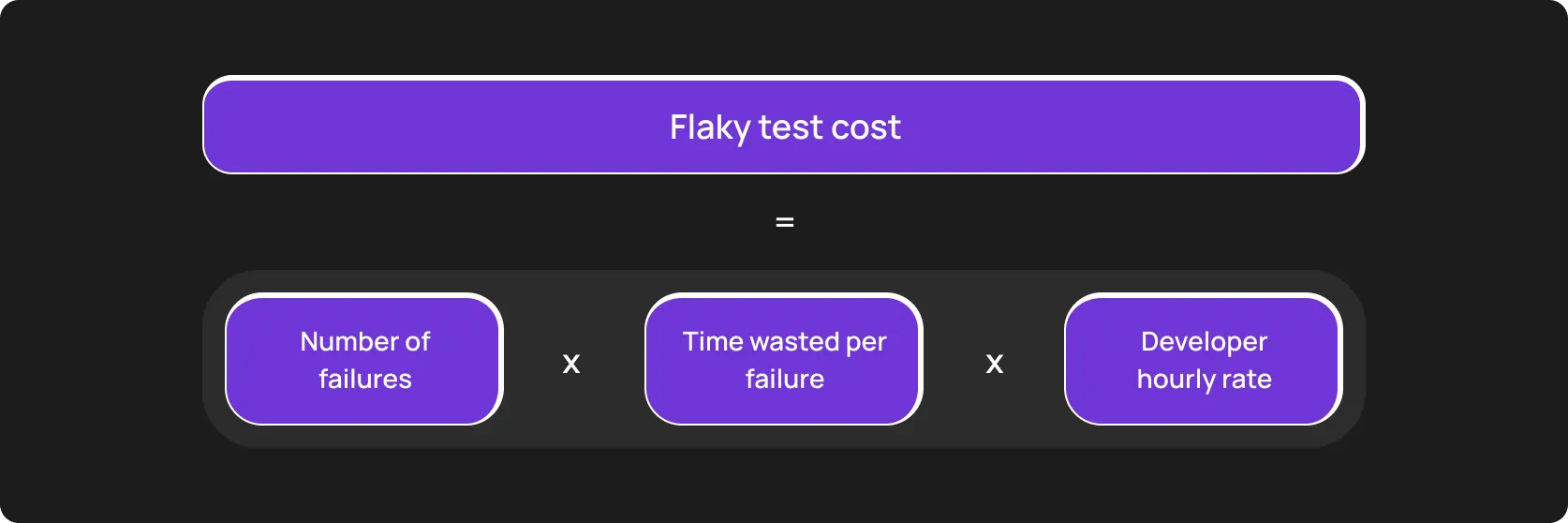
A five-year industrial case study found that dealing with flaky tests consumed at least 2.5% of total productive developer time.
We are focusing your attention on the indirect cost because it’s harder to quantify and more damaging. Overload, trust loss, and release delays are just a few things that stem from that.
What to do with flakiness
- Track it: Make it visible and sort out flaky tests. A test that fails twice over 14 days is not the same problem as a test that failed once last month.
- Quarantine, check, decide: A quarantined test is still helpful for you, as it shows the gap. A deleted test shows you nothing: neither a root nor a pattern. Set a specific deadline and assign the incident owner. If they don’t fix the suite/the test in one sprint, then remove.
- Separate smoke tests: They must be stable and shouldn’t influence other tests with dependencies since smoke testing runs every commit.
Scaling test automation coverage needs a tailored approach (and time)
A test automation project starts with regression testing and has core paths: login, onboarding, a few business-critical API endpoints, and payment.
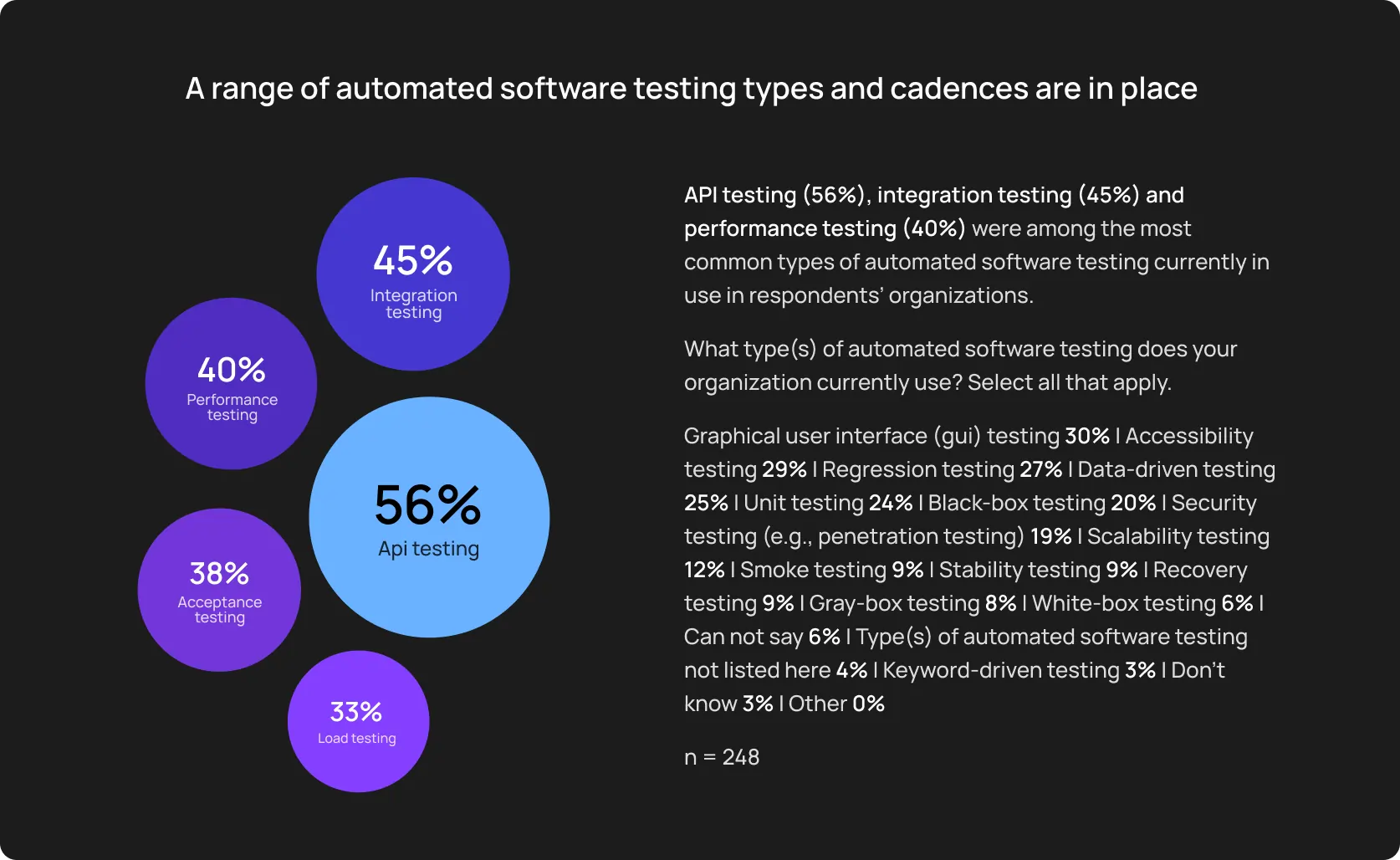
For various reasons, most QA automation roadmaps miss the deadline, partially because they started the initiative from “a template” while they actually needed a unique approach.
Identifying what to automate first is not always obvious
Despite our opener in this section, standard test types shouldn’t be a blind choice. They are still reasonable, but you should account for current risks and actual revenue flows, specific to your niche and business.
Map these critical user journeys with a direct business impact:
- Define roles for the mapping stage: To avoid an overstuffed pipeline, audit product analytics. Connect these maths to marketing flows as lead-gen channels should also work perfectly. In any case, you’ll definitely need QA, Product, and Engineering roles/teams.
- Expanding test coverage further: Now, edge cases. Verifying a checkout path might take a day. If you add a dozen possible error states for that flow, it can take weeks. You can significantly cut this time with AI-powered tools, like OwlityAI, but human participation is fundamental.
- Maintaining consistency: With x10 growth in scripts, maintaining structural consistency becomes a challenge. Fight it with internal coding standards to ensure that new tests reuse existing setup functions, adhere to strict locator strategies, and don’t poison the shared database state.
For a mid-size product, 90%+ coverage usually takes up to 12 months.
Teams often underestimate the expertise required
A successful test automation framework goes beyond teaching QA testers “how to code” and switching them into test automation roles.
Building an effective and efficient QA strategy is a complex engineering project that requires highly specialized Software Development Engineers in Test.
The ones that combine robust hard skills in QA engineering, software development, and DevOps.
Common skills:
- Scripting in Python, Java, or JavaScript
- Framework architecture understanding
- Debugging test automation failures
- CI/CD integration and pipeline configuration
- Cross-browser and cross-platform test management
Scripting knowledge
Our goal: A reliable, maintainable, and readable code. And it often takes more than we put in the budget at the very beginning. Because the real challenge isn’t syntax, it’s logical flow. The skill to design resilient scripts that reuse logic properly, and that other engineers can actually debug six months later.
Framework architecture understanding
Our goal: Foresee potential problems when we start scaling, and solve them with proper architecture. Page Object Models, data-driven layers, custom reporting integrations, environment config management — these architectural decisions help you nurture smooth cooperation between teams and save the working hours you’d spend on maintenance instead.
Debugging test automation failures
Our goal: When a test fails in Selenium, Playwright, or another open-source framework, a developer or QA engineer has to find the offending part of the test and fix it. This often is not a quick lookup. Test automation failures can stem from timing issues, environment differences, selector changes, flakiness, or actual bugs in the product — and separating those reasons requires experience.
Calculating the real timeline for test automation in mid-sized SaaS
Leaders who think in frameworks and strategies often miscalculate the delivery timeline because of down-to-earth things like rough processes and the hard skills of their teams.
Assume the app requires 300 end-to-end tests to achieve a basic regression baseline. If an experienced test automation team can write, debug, and stabilize 10 highly reliable automated tests in a week, the initial effort calculation looks like this:
300 tests / 10 tests per week = 30 weeks
That is almost seven months of conscious effort. Kind reminder — this is baseline coverage. Now, just imagine UI changes several times during that period.
How modern platforms accelerate test automation adoption
All the routine and roadblocks we have discussed in this blog post pivot the in-house team’s attention from product quality.
You pay skilled engineers between USD 90K and USD 150K annually and force them to spend months building frameworks they’ll continuously maintain later.
There is a more efficient way to use your high-paid team’s skills — AI automated testing tools.
The core capabilities of the AI-powered testing tools
- Bypass framework construction: Instead of configuring Selenium WebDrivers or Playwright environments, your team starts testing immediately.
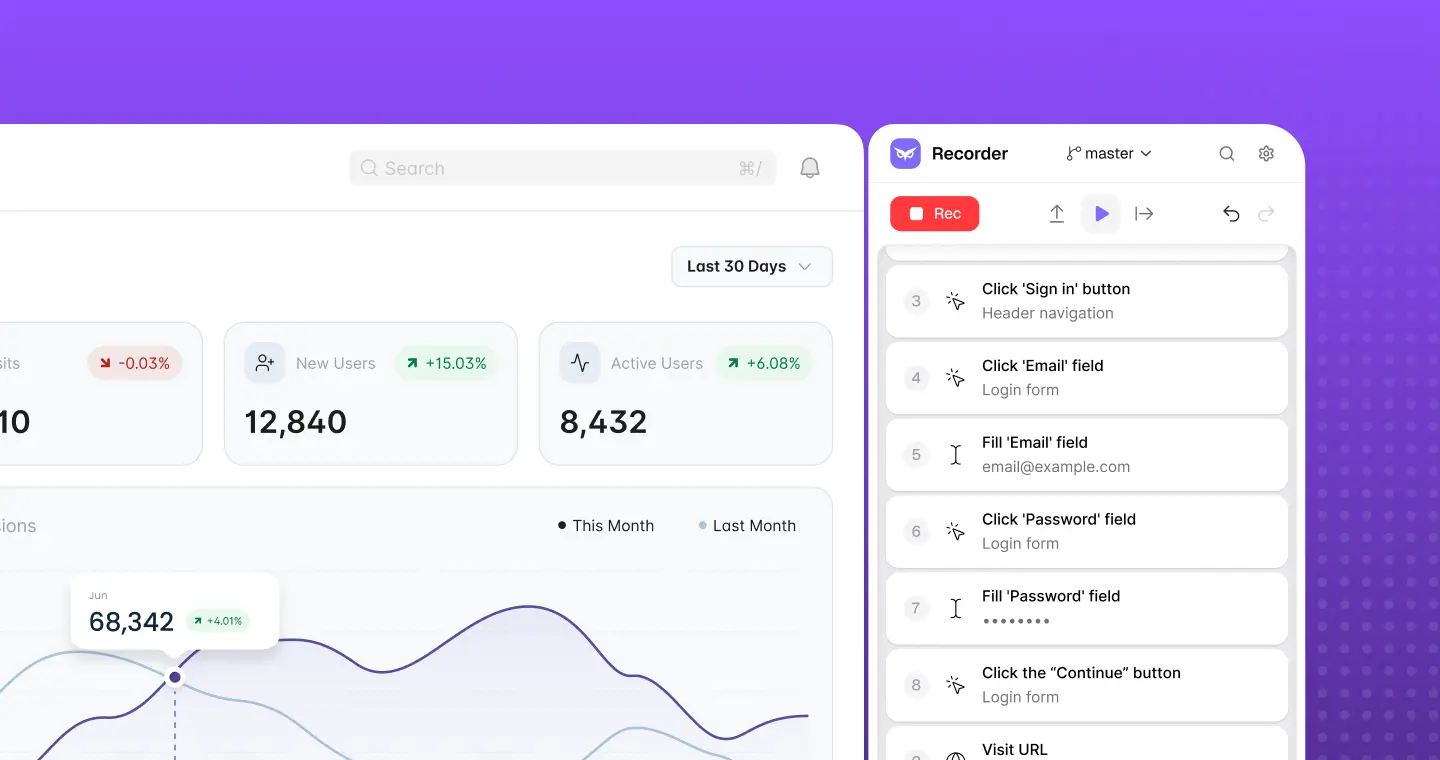
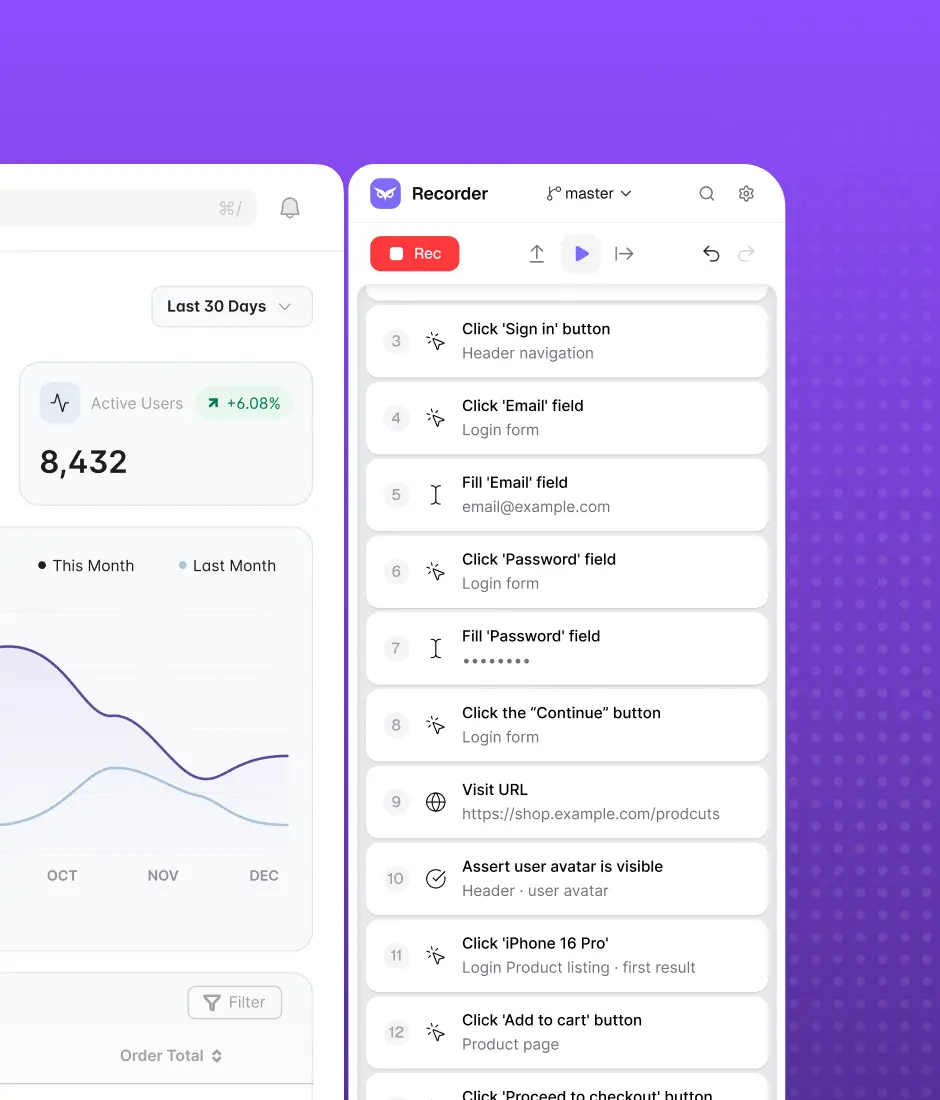
- Test creation and expansion: You don’t need complex scripting, as modern AI E2E tools allow a so-called “path translator”. Owlity Recorder, for example, allows a product manager to capture a real user journey directly in the browser. Then, OwlityAI automatically converts that session into an executable automated test. Built-in AI features enable further expansion.
- Reduce maintenance overhead: Rather than provisioning local device farms or parallel build runners, tests execute concurrently in the Owlity cloud.
We believe that software testing shouldn’t be that difficult and lengthy. That’s why for 16 years we have been helping SMEs and enterprises to compress the 30-week setup to a couple of weeks without harming coverage and product quality.
Monthly testing & QA content in your inbox
Get the latest product updates, news, and customer stories delivered directly to your inbox