
ANALYSE
Your tests ran. Now get the full picture.
A pass/fail status tells you something happened. Owlity Mind tells you everything — video, screenshots, network logs and step timelines for every run, plus an AI explanation of what went wrong and where to look.
So when something breaks, you already know why.
Run results
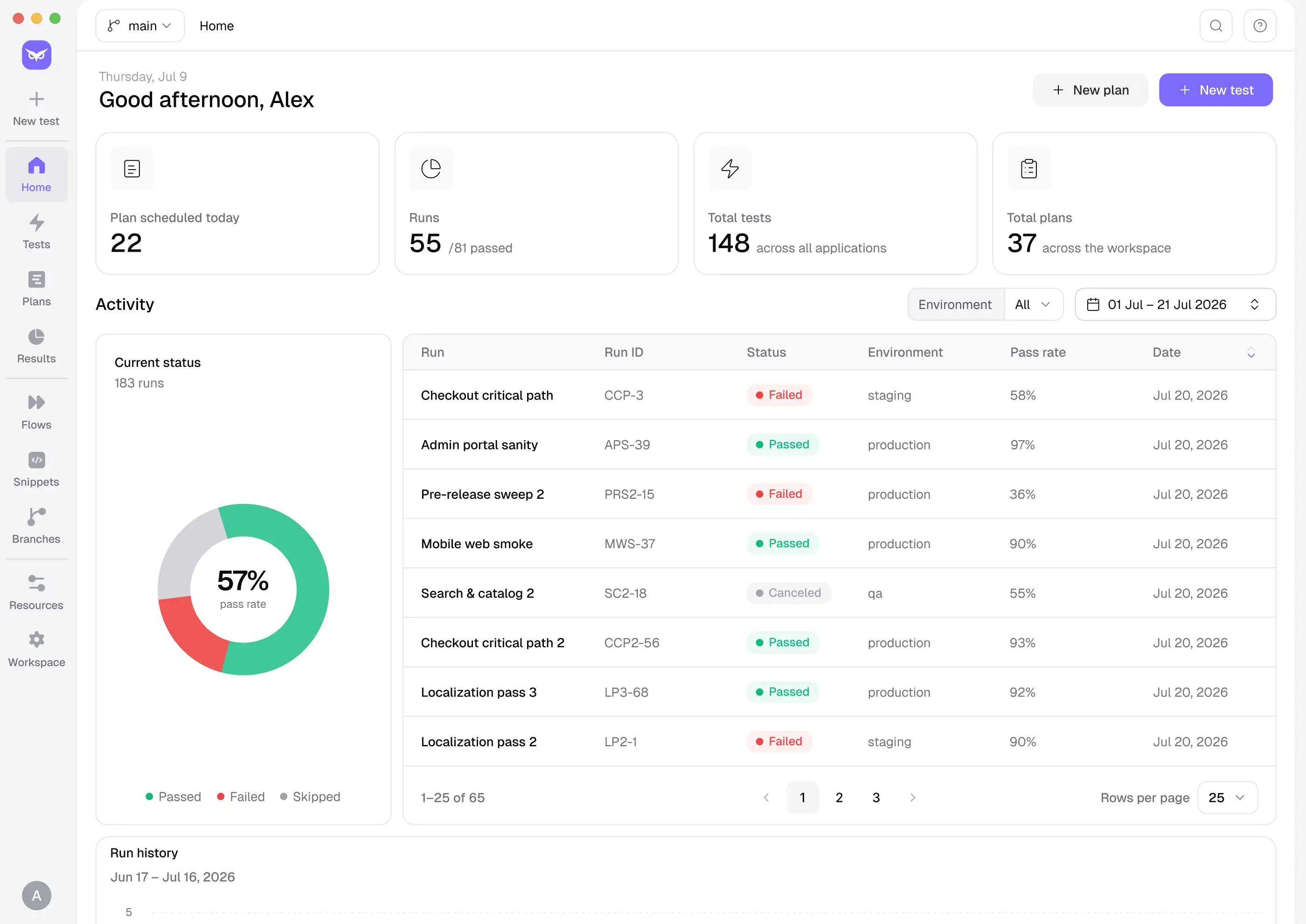
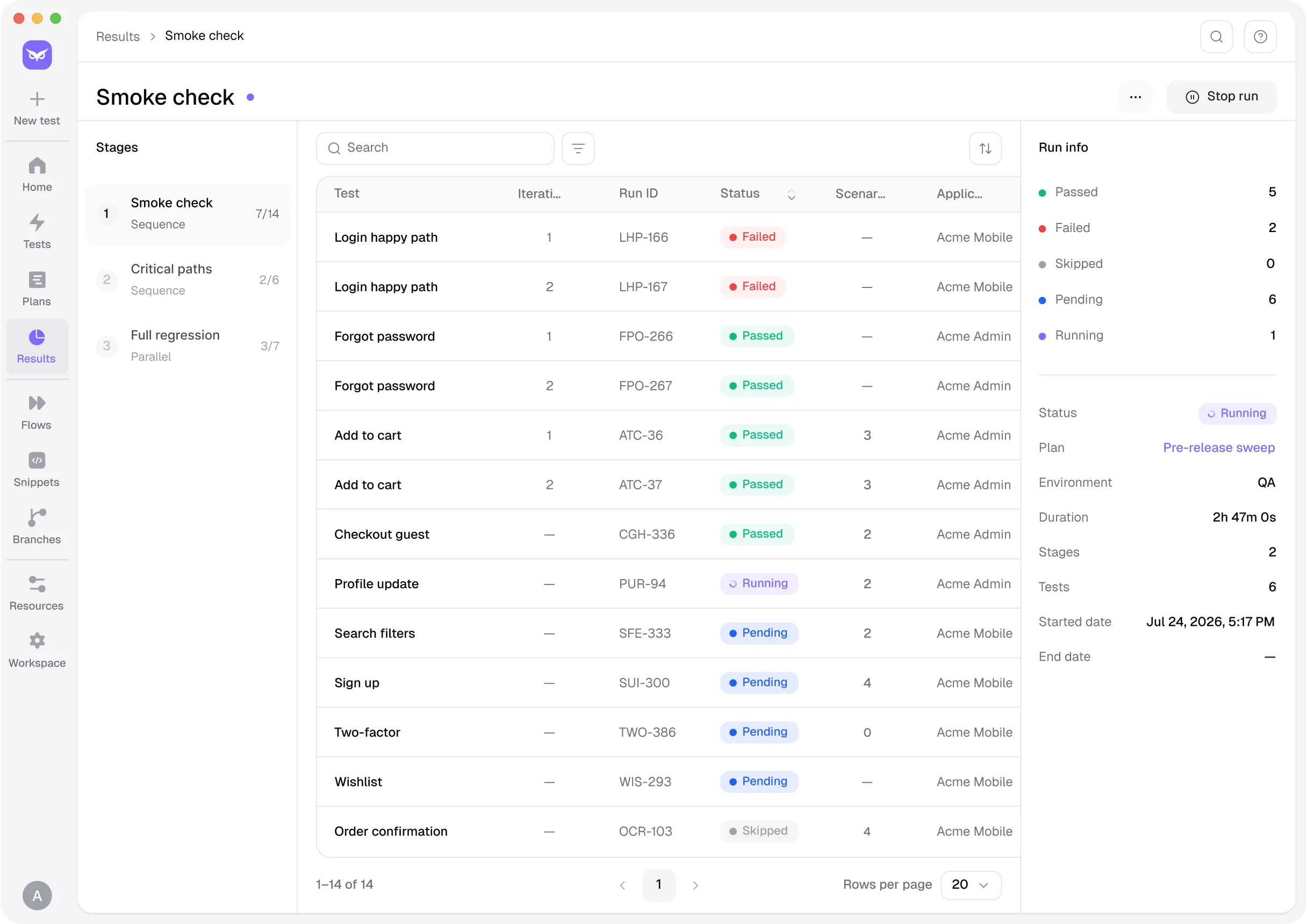
Every run tells a story. Owlity Mind breaks it down per test and per plan — pass/fail, results by stage, results by scenario. Whether one test flipped or a whole stage collapsed, you know exactly where to look.

Deep run artifacts
A status badge tells you something's wrong. Owlity Mind shows you what happened at every step — a video of the full run, screenshots, HTML snapshots and network requests per step, plus a timeline to scrub through.
Then AI does the reading for you. For every failed run you get the likely root cause, what to check next, and the screenshots from the related steps that back it up. Still not sure? Ask in chat — "did the API respond?", "was the button even on the page?" — and get an answer from the run itself. No guessing, no reproducing from scratch.

Run history & trends
Spot regressions before they become incidents. Track run duration over time, watch per-test status sparklines, and see your plan history at a glance. Every failed run also gets a label — product bug, test issue, test data or environment — so the same problem showing up five times looks like one problem, not five. When something trends the wrong way, you catch it early, not after a customer does.

Change history & compare
Tests evolve. Owlity Mind keeps the full history — compare any two versions of a test, see exactly what changed between runs, and restore a known-good version with one click. When a test suddenly starts failing and nothing looks different, ask the AI: "what changed since the last successful run?" It checks the test, the data and the environment and tells you.

CSV export
Export a clean pass/fail report for any run and share it with stakeholders, clients or the team — no Owlity account needed to read it. One click, no explanation required.
Issue-tracker integrations
Link run results to Jira and Linear, root cause and failure label included. When something breaks, the path from "test failed" to "ticket assigned" is as short as it should be.


Everything in Owlity Mind
 Run results. Per-test and per-plan run records, pass/fail statuses, broken down by stage and scenario.
 Deep run artifacts. Video of each run, screenshots + HTML + network per step, and a step timeline.
 AI failure analysis. Likely root cause, what to check next, evidence from screenshots, and a failure label (product bug, test issue, test data, environment). Ask follow-up questions in chat.
 CSV export. Share a clean pass/fail report of any run — no account needed to read it.
 Run history & trends. Plan run-history chart, run duration, per-test status-history sparkline.
 Change history & Compare. Audit how a test changed over time, diff versions, restore a known-good version.
 Issue-tracker integrations. Link results directly to Jira and Linear.


Get started
Build it in Owlity Eye. Run it in Owlity Wing. Understand it in Owlity Mind.