


Want someone to manage QA for you?

Create
Your first test is 5 minutes away.
Stop putting off test automation because it feels like a sprint of its own. Owlity Eye is a desktop app that turns your web flows into tests — click through them yourself, or describe them in plain words and let AI do the clicking.
No code. No QA hire. No excuses.
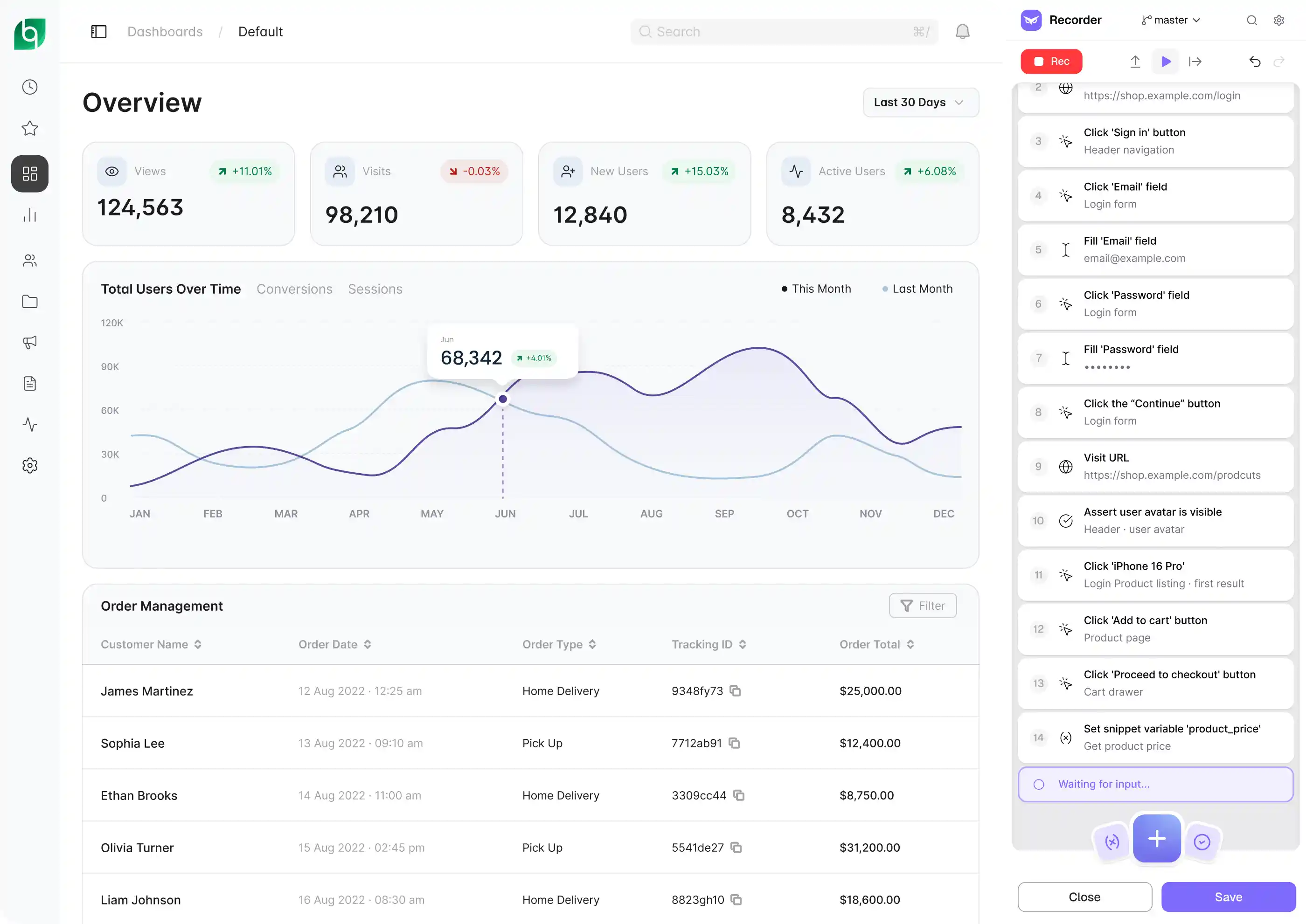
Record
Open your web app, walk through a user flow, and Owlity Eye records every step — clicks, inputs, navigation, file uploads, tab switches. No selectors to write, no scripts to maintain. Play the test back locally before you send it to the cloud.
Or skip the clicking. Describe the scenario — "sign in, add a product to the cart, check the total" — and AI shows you a plan of what it will do and check. Adjust it in chat, and the agent walks through your app, builds the test and verifies it with a run. You review and save.
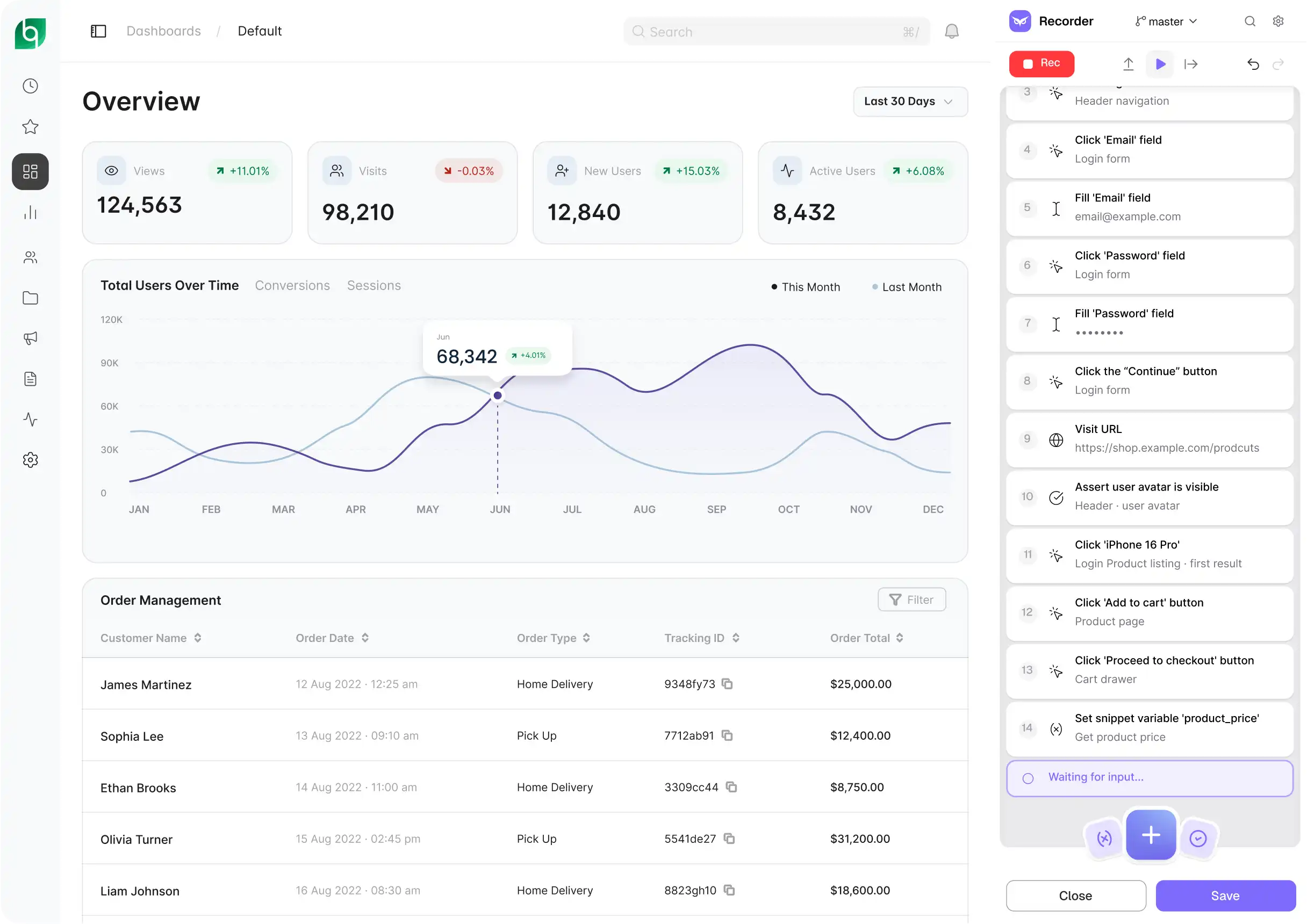
Edit
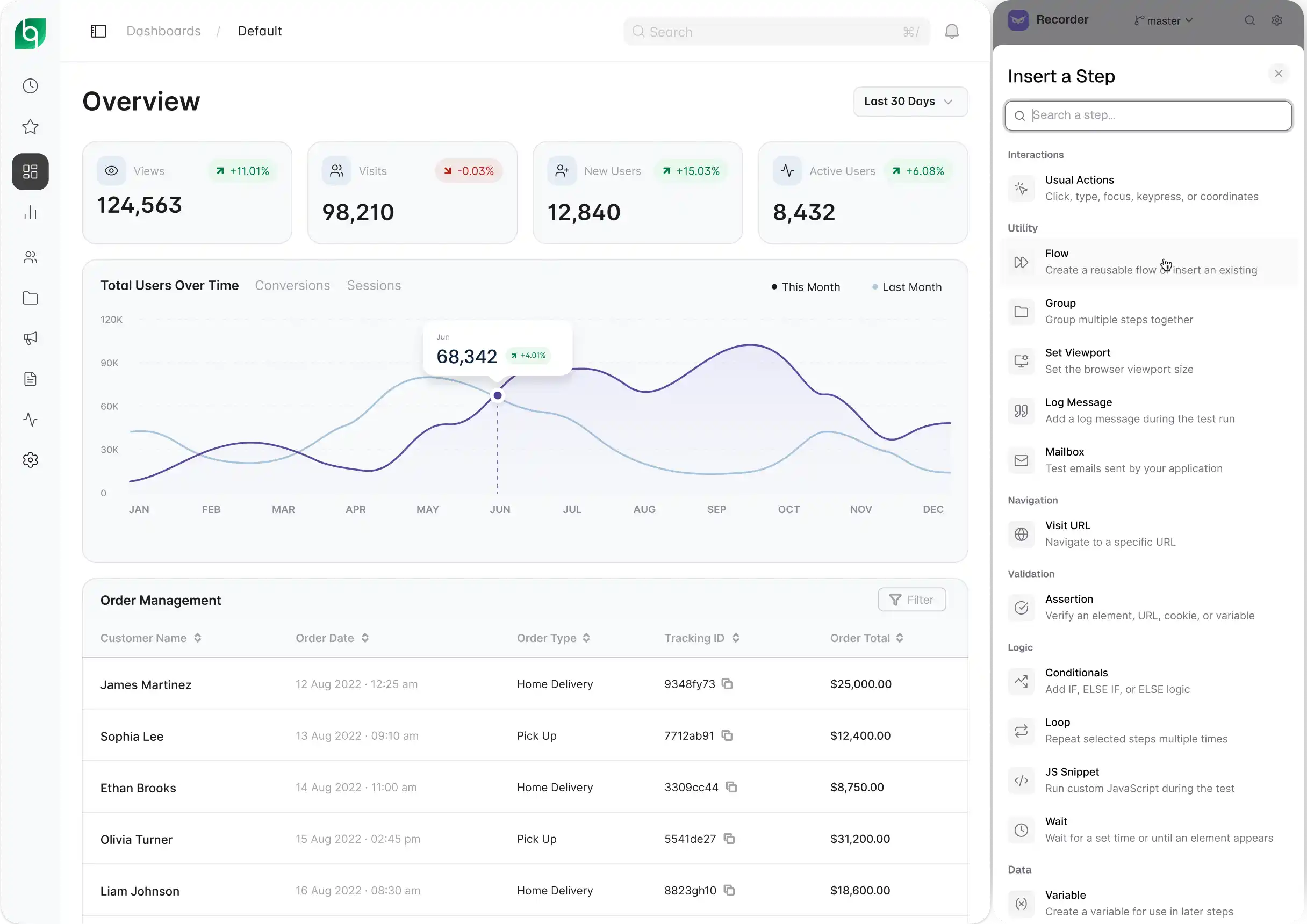
Most recorders capture clicks. Owlity Eye handles conditions, loops, waits, cookies, viewport changes, keyboard input and browser tabs — the range that separates a toy test from one that catches bugs.
When the product changes, you don't re-record. Describe the change – "add a check for the customer's name after checkout" – and AI updates the test. Need a variant? "Same checkout, with a promo code" gives you a new test; the original stays as it is. You see every change before you save.
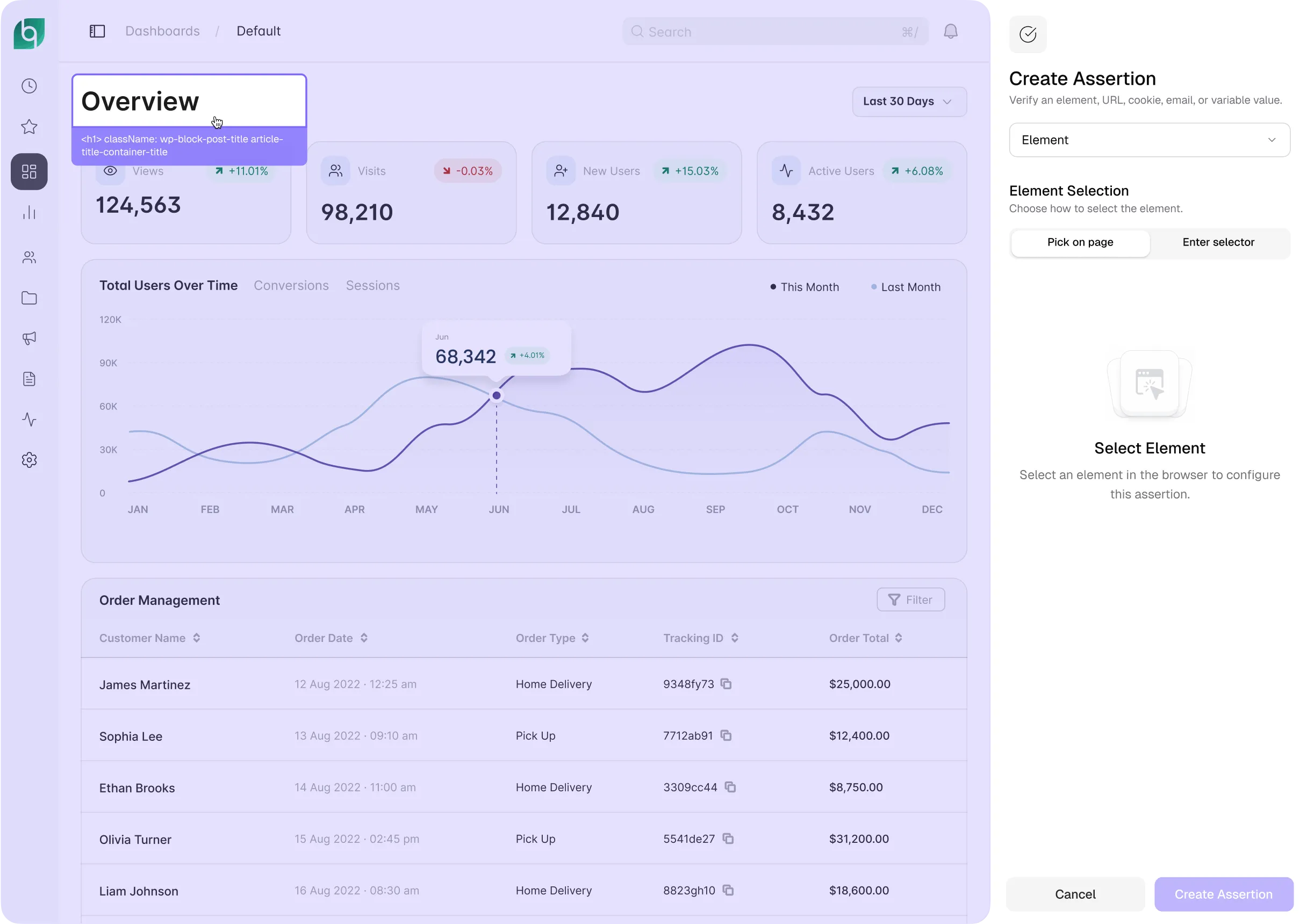
Assertions
Go beyond "did the page load." Check element state, page URLs, cookies, variables, emails and screenshots — all inline, as you record.
Or write the expectation in plain words: "the cart has 3 items and the total matches their prices". AI turns it into specific criteria you can edit, and every run shows what matched and what didn't. That catches a page in the wrong state — including the case where a test clicked a neighbouring element and kept going.
Dynamic test data
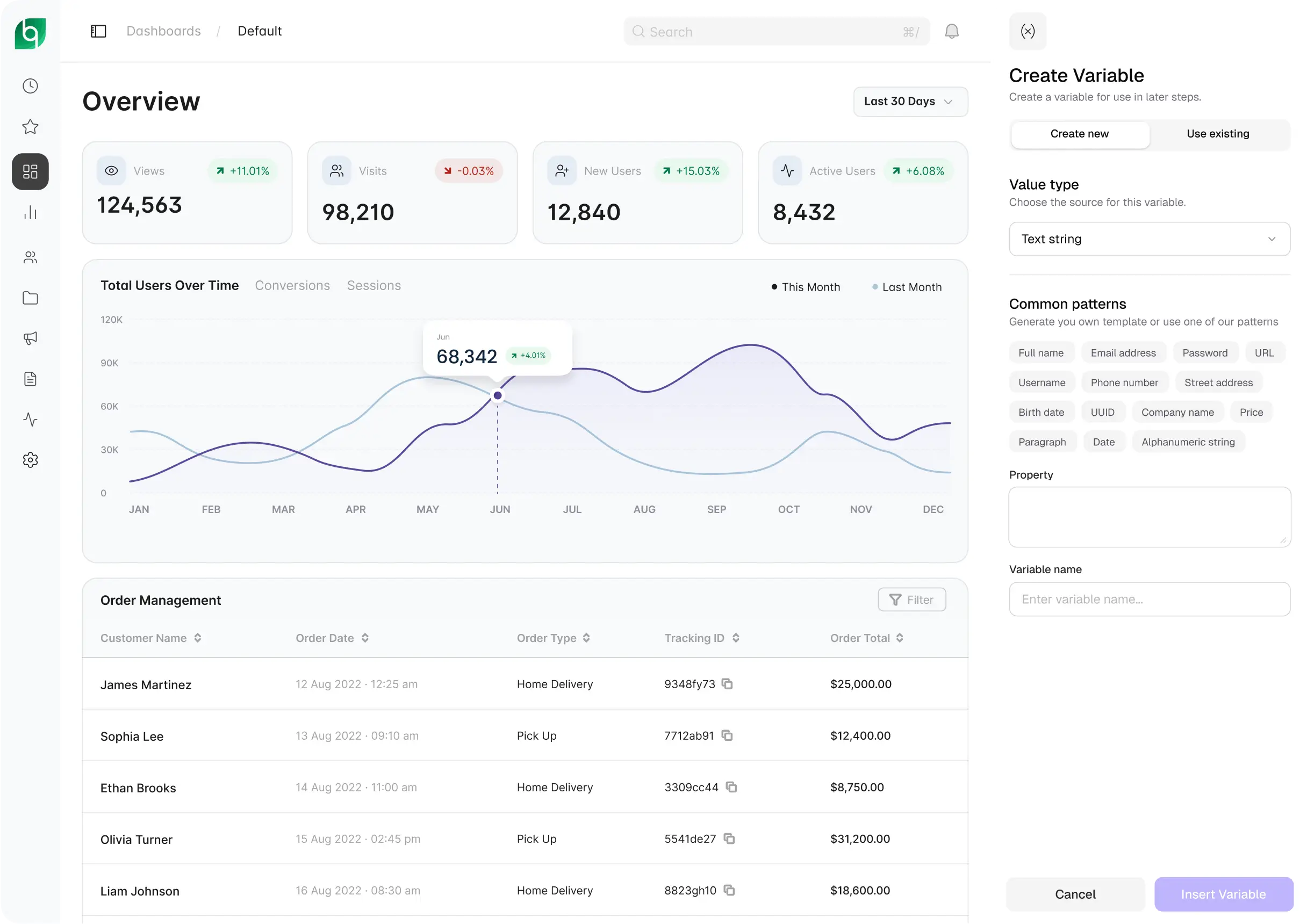
Hardcoded test data breaks the moment anything changes. Variables let you put dynamic values into any step — generated names and emails, dates, calculations, content pulled from the page — created and edited inline.
Data-driven testing
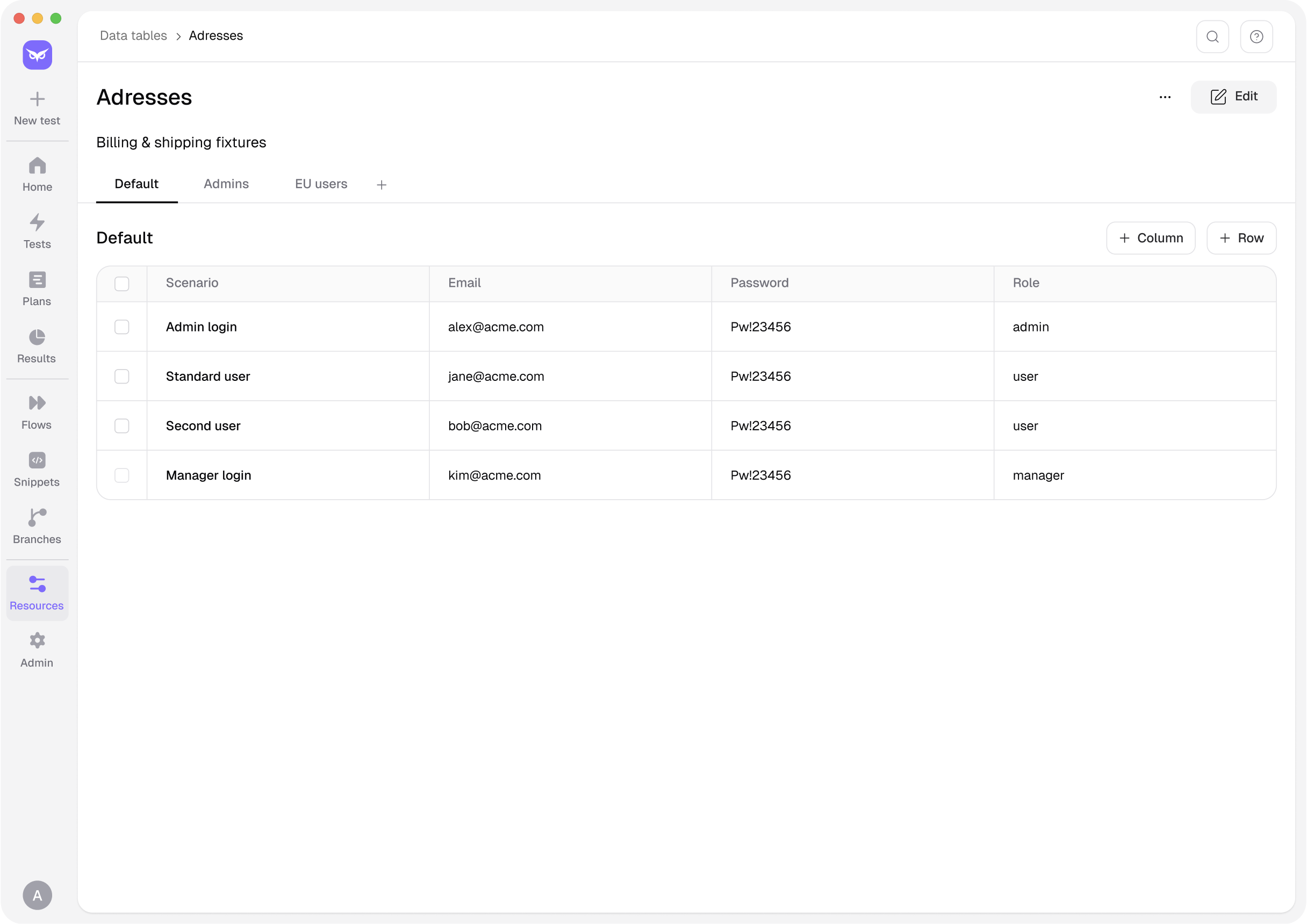
Define a DataTable, assign categories, combine tables — and Owlity Eye runs the same test across every data set automatically. One test, thorough coverage.
Reusable flows
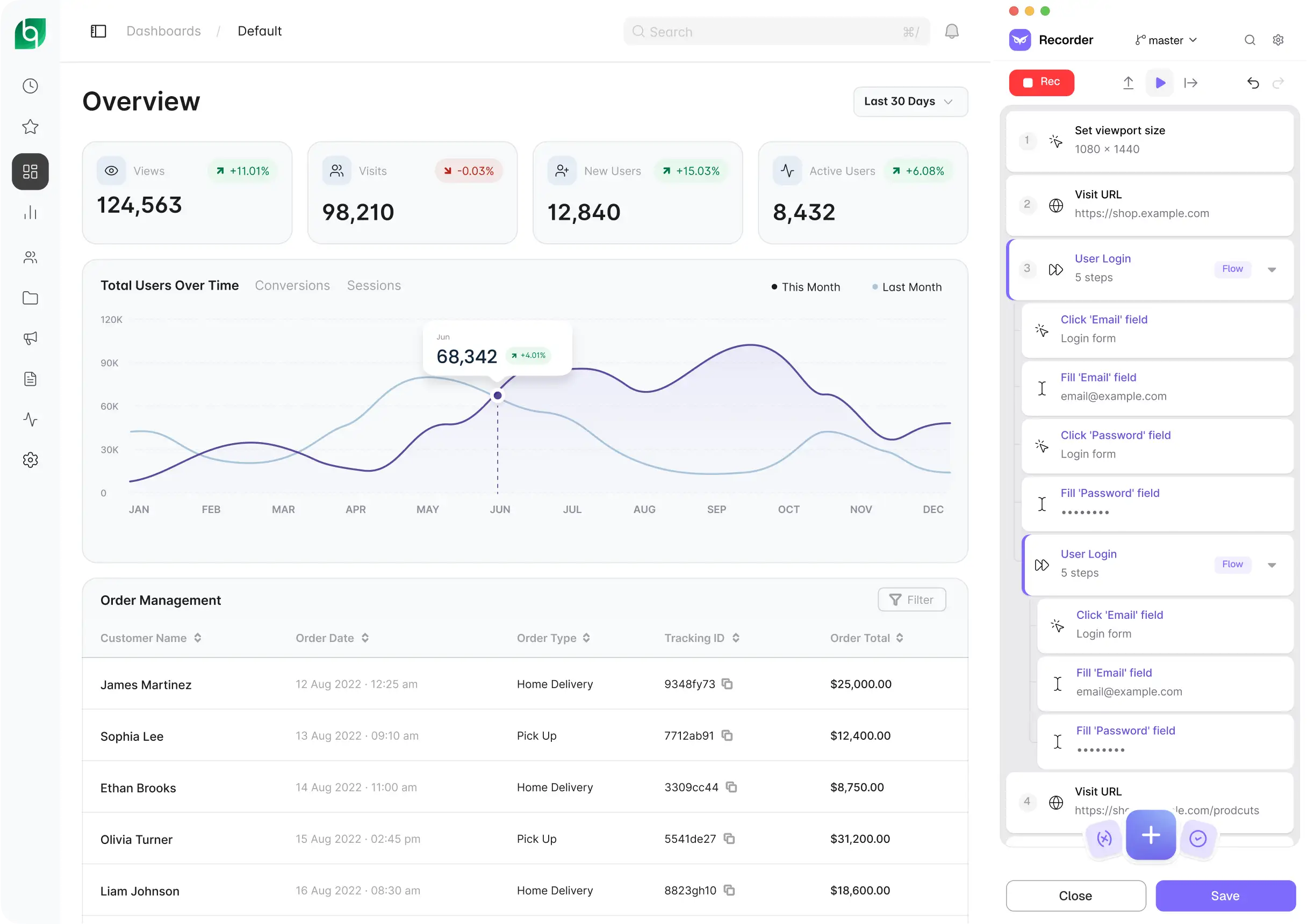
Turn any sequence of steps into a reusable Flow and use it in as many tests as you need. Update it in one place and every test that uses it stays current. Browse your library, compare versions, track history.
Authentications
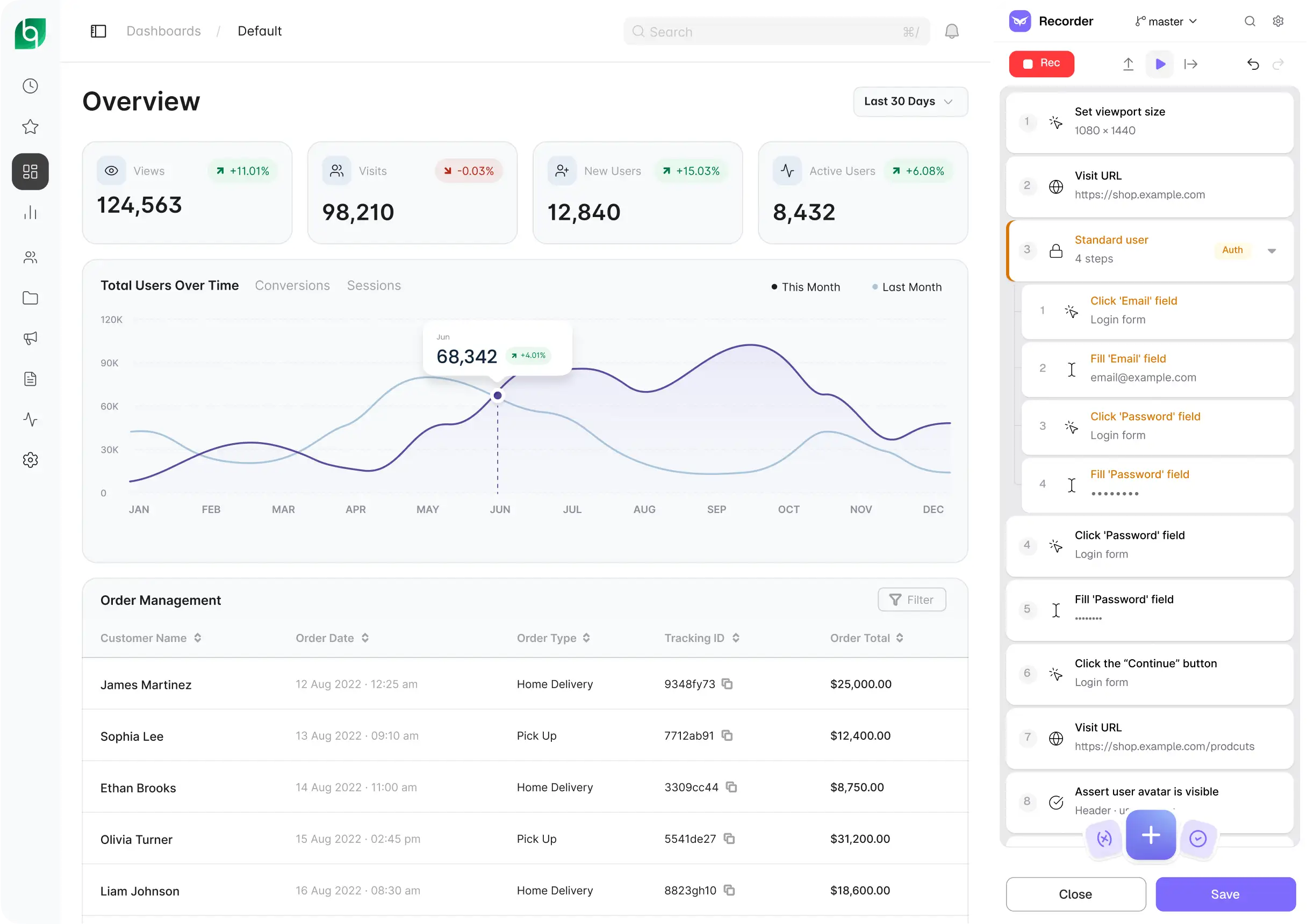
Owlity Eye captures your authentication flow and replays it automatically before every test that needs it — across every run, every environment, without re-recording or workarounds.
Team collaboration
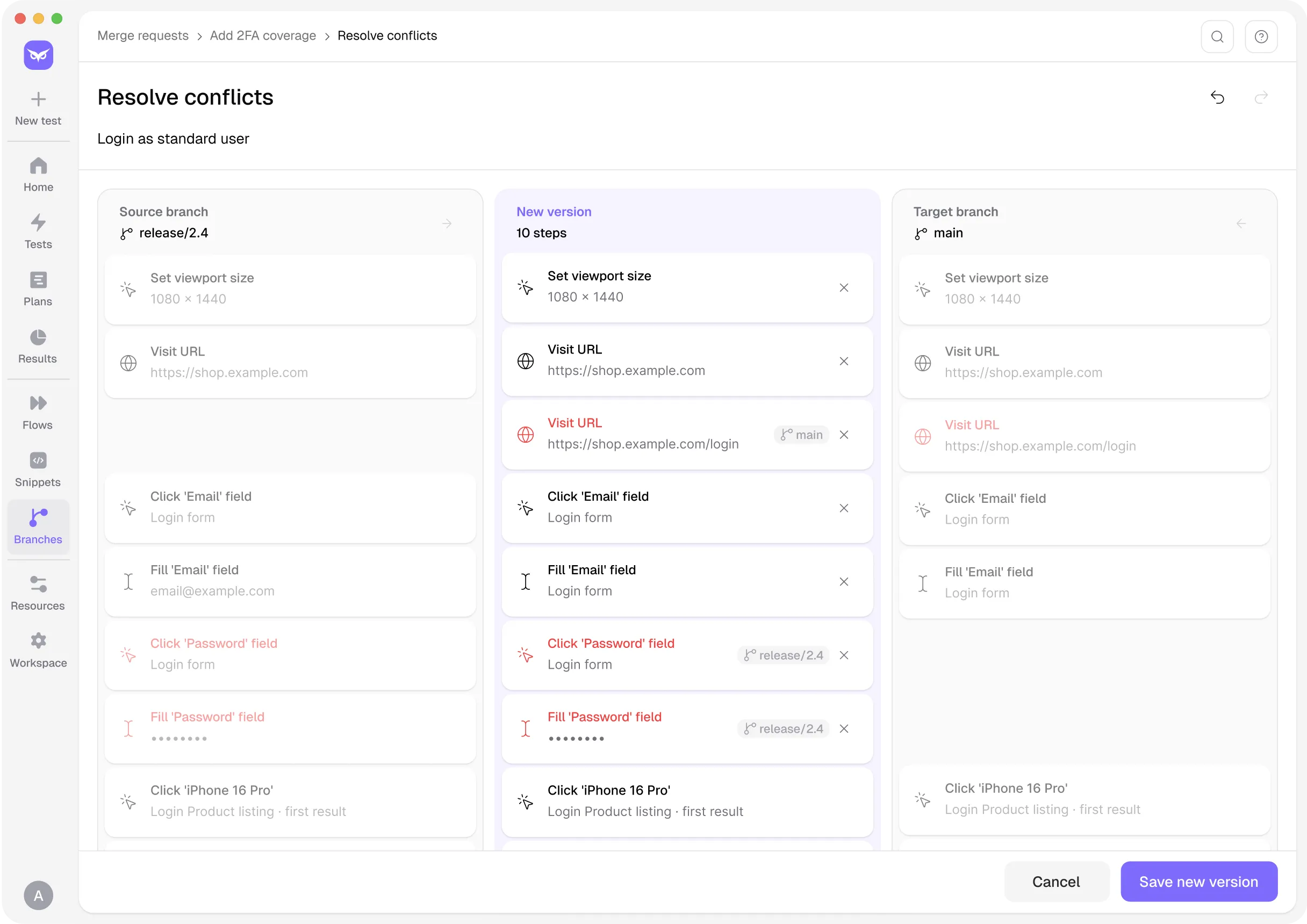
Work in your own branch, then merge with a visual conflict resolver built for tests and flows. See exactly what changed, resolve conflicts step by step, and restore any previous version at any time.

Everything in Owlity Eye
 AI test builder. Describe a scenario in plain words. AI plans it, builds it in your app and verifies it with a run.
 AI test editing. Describe a change or a variant. See the diff, then save — the original stays intact.
 Test recorder. Capture any web user flow. No code. Play tests locally while authoring.
 Step editor. Search, reorder (drag & drop), undo/redo, highlight target elements, run from any step, annotate, group steps, bulk enable/disable/copy/delete.
 Rich step types. Assertions, conditionals, loops, waits, cookies, set viewport, open URL, keyboard input, step groups, file upload, browser-tab handling.
 Assertions. Verify elements, URLs, cookies, variables, emails and screenshots — or write the expectation in plain words and let AI turn it into checks.
 Variables. String templates, element/cookie/snippet/ address variables, Faker, math, dates — created and edited inline.
 DataTables. Reusable data tables, categories, and table combinations for data-driven testing.
 Reusable flows. Build once, reuse across tests. Browse library, compare versions, view history.
 JavaScript Snippets. Reusable and one-time JS steps with a built-in editor, runner, console, and auto-formatting.
 Authentications. Record a login once. Replayed automatically before every test that needs it.
 Resources. Shared applications, environments, roles & credentials, authentications, and mailboxes — defined once, used everywhere.
 Email assertions / Test mailbox. Create test mailboxes and verify the emails your app sends as part of any test flow.
 Branches. Isolate test changes, work in parallel without affecting the rest of the team.
 Merging. Merge requests with a visual 3-way conflict resolver for branched tests and flows.

Get started
Download Owlity — free, no credit card required. Install in minutes, record a flow or describe one.