

The real cost of maintaining test automation frameworks

Dmitry Reznik
Chief Product Officer

Summarize with:
Catch bugs. Catch all bugs. Catch all bugs before the release. If we’re lucky enough — cut QA costs. These are the main goals of automated testing we’ve heard from hundreds of tech teams.
And to be fair, it works. 100 automated test cases run on every commit without manual trigger, and the engineers have enough working time to do what they love and what they were hired for.
But then the product scales.
It’s ironic that the main pitfall is product growth. “Write a test once, and it runs forever” won’t work anymore.
New features, redesigns, API changes require more and more attention, and tight deadlines force developers to skip updating the tests (or forget to).
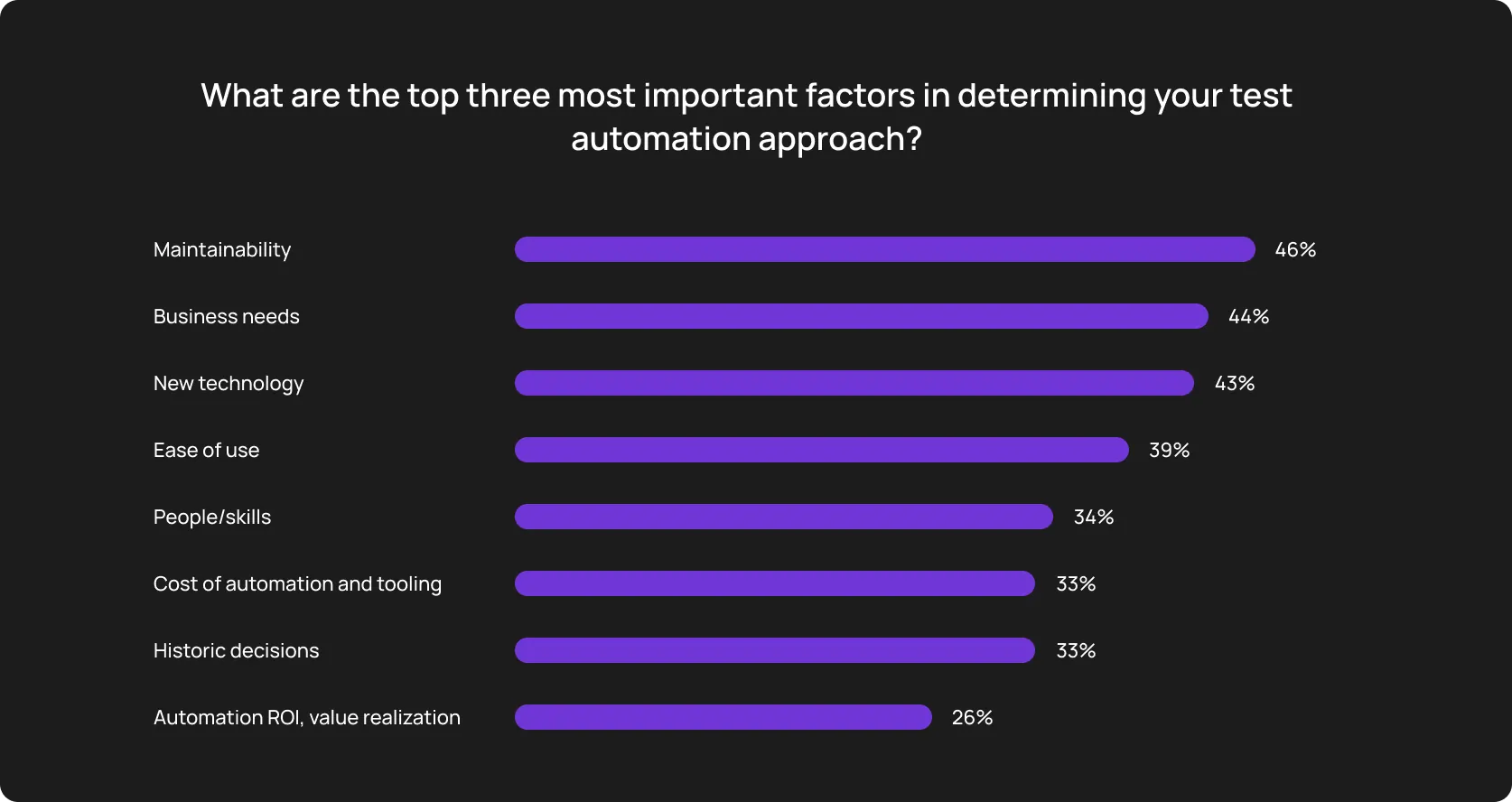
The World Quality Report 2022-2023 summarizes that test automation maintenance is the top factor for most teams surveyed in their QA automation success.
Nothing groundbreaking, though, because many industry reports cite that maintenance usually consumes from 30% to 50% of the overall test automation budget.
Indeed, it’s a second FTE.
And this is consistent across teams: frameworks that start as productivity multipliers turn into systems that need their own maintenance, their own specialists, and their own roadmap.
Many SMEs start automation initiatives with the belief that they will handle the operational routine. What kills their initiatives is underestimating the time required for maintenance.
This discovers the roots of this critical miscalculation and how exactly modern tools help set up test automation frameworks properly.
Automation scripts break when the application changes
The foundation of traditional automation is exact matches — specific IDs of design elements (buttons, banners, etc.), CSS selectors, logical API responses, page structure, interface language, etc.
Changing these rigid elements breaks all connected scripts, and changes in third-party integrations or APIs create failures on top of the already brittle locator-based scripts. Now the QA leader must look for breakage from two directions at once.
You wanted to save time and money, but ended up increasing costs instead.
Where traditional automated testing falls short: conditional examples
1/ Fitness app: Mid-sized, weekly release cycle
To cover most user paths, the QA team built 300 end-to-end tests. Then, developers redesigned the checkout flow and renamed a handful of form fields. 80 tests break. A quality engineer needs a couple of days to connect the dots where the locators broke.
The team delays the release by 48 hours, CTO is happy (he’s not). Next sprint, 55 more tests break for similar reasons. Three months later, a QA team spends more time in repair mode than building new coverage.
2/ Coffee shop network redesigned the navigation in their mobile app
The product team decided to move the payment flow to the starting page. Not the absurd move itself matters here, but that the automation suite was built around the old model.
Such a leap of faith breaks the lion’s share of tests because the scripts can’t find what they’re looking for. There is a risk: the tech team may start treating failures as background noise, simply because the pipeline is always red.
Otherwise, they should spend more and more time on…
Maintenance effort increases due to the suites’ growth
There is a common paradox: the more features you add, the more enthusiastic you are because it feels like progress. But all those test suites you’ve built along the way demand more time on past things (to check old features), not future-proof ones.
One day, you reach the point where your “progress” is an endless update-debug-refining cycle, instead of spending time on exploratory testing or covering genuinely untested areas.
What happens in traditional QA automation
- Work duplication: When the scope multiplies, different dev teams may write tests for the same flows. This creates multiple failure points for the same behavior — so when something breaks, it breaks in five places instead of one.
- Dead tests: Progress is the natural state of any product, and when new features shift users’ focus from old ones, the old tests stick around because nobody is confident enough to delete them. A large test suite can look like solid coverage while actually being full of redundant or unstable tests.
- Pipelines too sophisticated to scan quickly: More tests = longer runs, and longer runs mean developers stop waiting for results before merging. Fast feedback is a turning point for real test automation.
Let’s calculate in real numbers
Given: 1,500 automated tests. A typical failing rate is 15%. Common reasons: UI changes, flaky behavior, and outdated logic. That’s 225 tests needing attention.
Let’s assume each broken test takes about 45 minutes to investigate, fix, and verify. So, we have ~169 engineer-hours per sprint just on maintenance.
Given the rate of USD 75/hour, that’s ~USD 12,700 per sprint, or over USD 300,000 per year.
Flaky tests create additional work
We have all been there — some tests fail even when the code actually works. Sometimes, it’s absurd enough to become a stand-up joke — the test just... decided not to pass this time.
But when a test fails without any changes to the underlying code, it is not that funny, as it leads to mistrust in test results, wasted debugging efforts, and disruptions to CI/CD pipelines.
When an engineering team can’t distinguish the difference between a real bug and a false alarm, it’s even less funny.
For example, 15% of Atlassian’s Jira backend repo failures were attributed to flaky tests, wasting over 150,000 development hours annually.
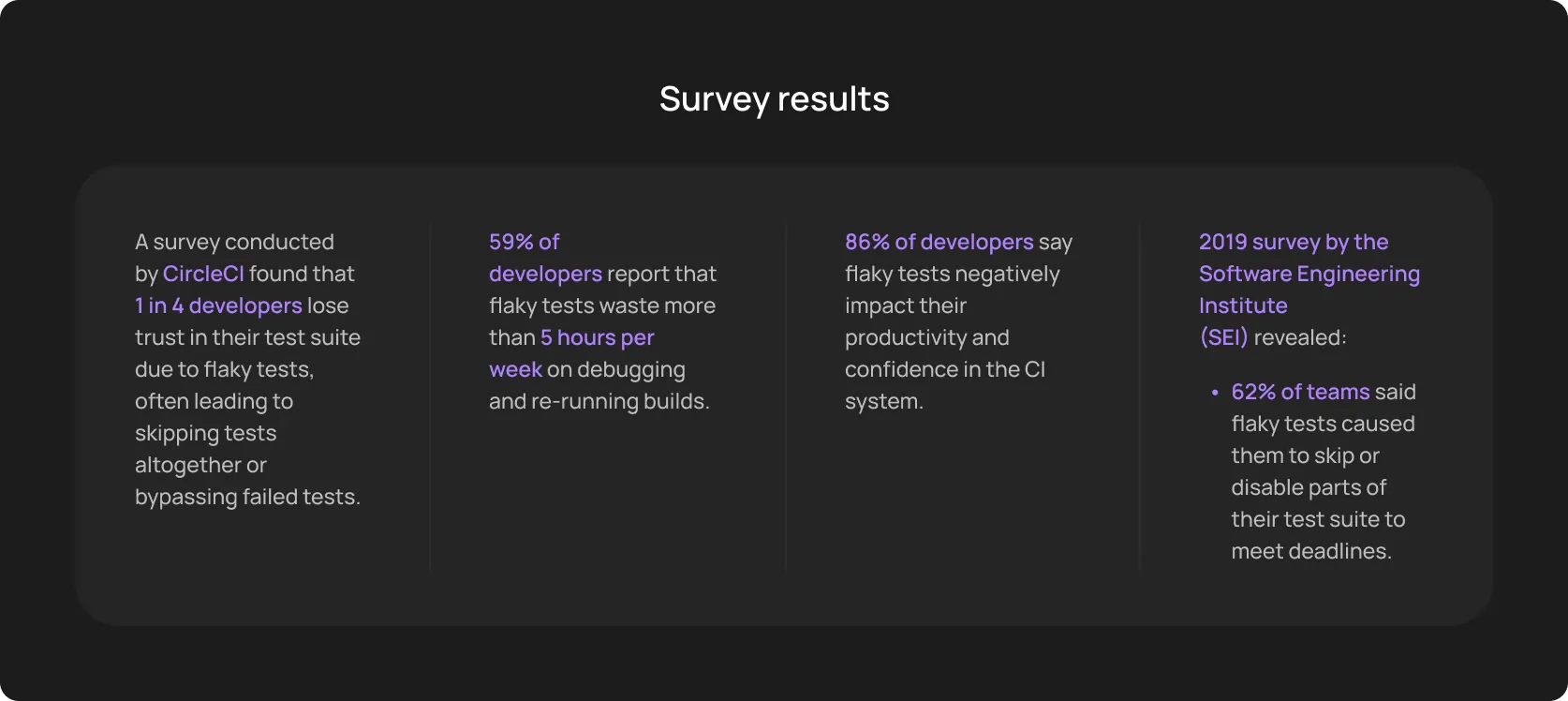
How flakiness breaks automated regression testing
Flaky tests eliminate the very idea of a test automation strategy. We need automation to get reliable notifications if anything in our code breaks. Hardly can we say such tests are reliable:
- False failures block deployments: If a backend API takes 400 milliseconds to respond instead of the expected 200, a test throws a timeout error — and developers pause feature work to investigate non-existent defects.
- Wasted debugging time burns capital: If we take 1,000 tests with a modest 5% flakiness rate, that equals 50 false failures per run. Then, if an SDET spends 15 minutes investigating each failure, the team loses 12.5 engineering hours. Let’s take a USD 60/hour rate; so, the company wastes USD 750 on inefficient manual triage in one run.
- Reduced trust kills the investment: Debugging increases — confidence decreases. The moment developers bypass the pipeline because it is “always a bit red” turns into doubting future QA initiatives.
Framework updates require additional effort
Selenium, Playwright, Cypress, Appium — all tools you know ship updates with a constant rhythm, they introduce significant and less impactful changes. The framework your team built on six months ago may already have a newer major version:
- Version updates: Even if the changes have not been that significant, engineers may have to rewrite custom commands and resolve deprecated API calls just to keep the current test suite running.
- Dependency changes: A typical test setup relies on dozens of third-party packages for reporting, parallel execution, and assertions. Library updates → These packages crash.
- Compatibility issues: Logically stems from the previous point. When browsers update their rendering engines automatically, the corresponding drivers in your test repository must be manually updated to match.
Infrastructure management becomes complex
Every test suite needs somewhere to run, something to run on, and a pipeline to trigger it. Logically, you need someone to manage this infrastructure — servers, cloud environments, and CI/CD pipelines. Depending on the selected vendor, mid-sized to large teams can spend USD 10,000 to USD 50,000 on infrastructure setup alone.
Common spending on QA automation
- CI/CD compute: GitHub Actions USD 0 - USD 4 per minute; GitLab CI charges USD 0 to USD 10 per 1,000 minutes; Jenkins — USD 200 to USD 500 per month server cost.
- Browser and device farms: Roughly from USD 79 to USD 800 every month.
- Test data management: Database instances, anonymization tools, and synthetic data generators add another USD 200 to USD 500 per month.
- Monitoring and reporting: USD 300+ monthly on cloud plans. Some dashboards run for free but require setup and maintenance time.
- Wasted idle time: 60 to 80% of teams overpay for test infrastructure due to idle time, stale environments, or unnecessary warm nodes.
Despite fluctuations in pricing (particularly, GitHub updated their pricing in late 2025), the total monthly infrastructure cost remains USD 500 to USD 2,500 for most small and mid-sized teams.
We can’t help but mention another dilemma — teams often have to choose between speed and feasible costs. They either add another layer to their infrastructure to run tests in parallel (which multiplies spending) or they play it within budget and move more slowly than they want.
This typically requires dedicated DevOps or QA infrastructure ownership. Someone has to do that “dirty job”: configure pipelines, manage environment parity, and debug infrastructure-level failures.
Automation frameworks require specialized expertise
You won’t hire a junior developer to manage a test automation framework in a large-scale environment. Sounds obvious, but many C-suite tech leaders, who are used to high-level management, forget about focused, specialized skills.
The ones that combine robust hard skills in QA engineering, software development, and DevOps.
Common skills:
- Scripting in Python, Java, or JavaScript
- Framework architecture understanding
- Debugging automation failures
- CI/CD integration and pipeline configuration
- Cross-browser and cross-platform test management
Scripting knowledge
Our goal: A reliable, maintainable, and readable code. And it often takes more than we put in the budget at the very beginning. Because the real challenge isn’t syntax, it’s logical flow. The skill to design resilient scripts that reuse logic properly, and that other engineers can actually debug six months later.
Framework architecture understanding
Our goal: Foresee potential problems when we start scaling, and solve them with proper architecture. Page Object Models, data-driven layers, custom reporting integrations, environment config management — these architectural decisions help you nurture smooth cooperation between teams and save the working hours you’d spend on maintenance instead.
Debugging automation failures
Our goal: When a test fails in Selenium, Playwright, or another open-source framework, a developer or QA engineer has to find the offending part of the test and fix it. This often is not a quick lookup. Automation failures can stem from timing issues, environment differences, selector changes, flakiness, or actual bugs in the product — and separating those reasons requires experience.
What this expertise costs
QA Automation Engineers in the US earn from USD 80,000 to USD 150,000 annually. The more experienced the QE is, the higher the income, either due to benefits or due to a rise in base pay.
Important note: Hiring managers should also consider the real cost to the company, with benefits, payroll taxes, tooling, etc. So, hiring a Senior automation engineer often totals to USD 160,000 to USD 180,000 per year.
As you remember from the sections above, maintenance can consume up to 50% of test engineering time. If half of your skillful QA’s job is just maintenance, you’re paying senior-engineer rates for work that’s doesn’t move the product forward.
Maintenance slows down automation expansion
The main dilemma of any tech leadership. Should we double down on quality and test as thoroughly as we can (which, in fact, includes strict maintenance) or should we focus on the new features and unique app capabilities (which potentially can lead us to the top of the market)?
The root of this question is those 50% of working time consumed by test automation maintenance. And now, most tech teams have two ways:
- Product updates ship without test coverage: When the QA team is busy repairing the existing suite, new functionality lands in production with manual spot-checks at best. Over time, coverage lags multiple sprints behind the product.
- Automation initiatives stall: New Year “we’ll-automate-that-all” resolutions are pushed back in March because there’s always something more urgent breaking in the current one.
If we take a typical e-commerce project with 4 monthly builds, their team can save more than USD 6,000 per month using modern automation testing tools.
But many teams either don’t trust fast-moving technologies or lack relevant skills. Or they don’t have enough resources to upskill their teams (...while spending significant amounts on ineffective workflow).
How modern automation platforms reduce maintenance effort
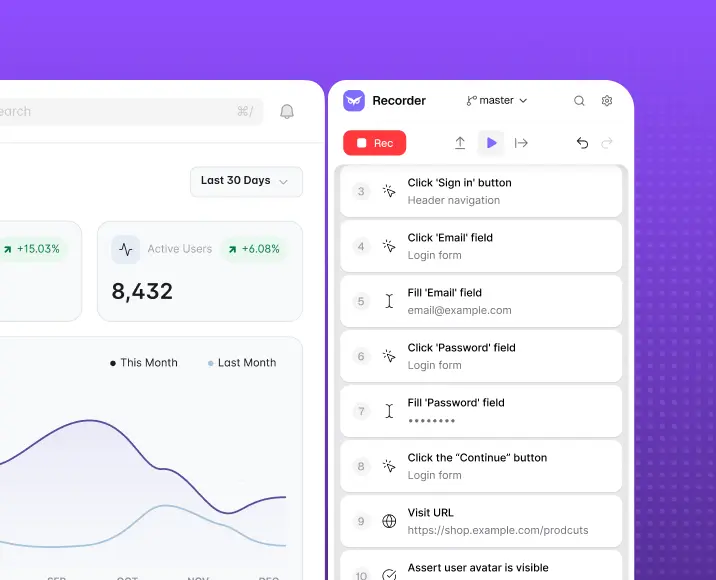
The initial idea of automation is time-saving. Ironically, it quickly turns into a massive burden that drains engineering hours. Modern AI-driven QA automation tools take over this technical debt and allow teams to focus on what really matters — product growth, go-to-market strategy, decreasing operational costs, etc.
Such tools have similar core functionality.
Simplifying test creation
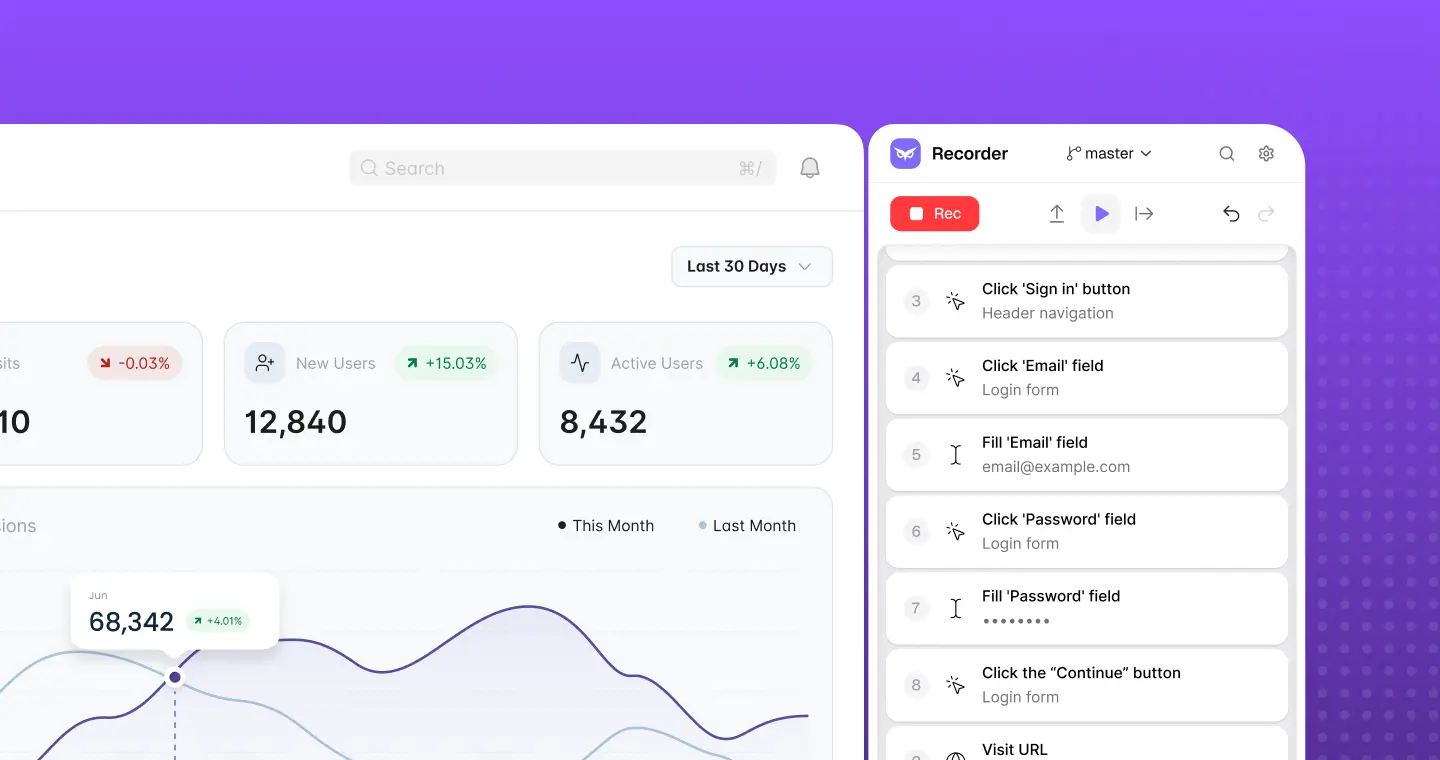
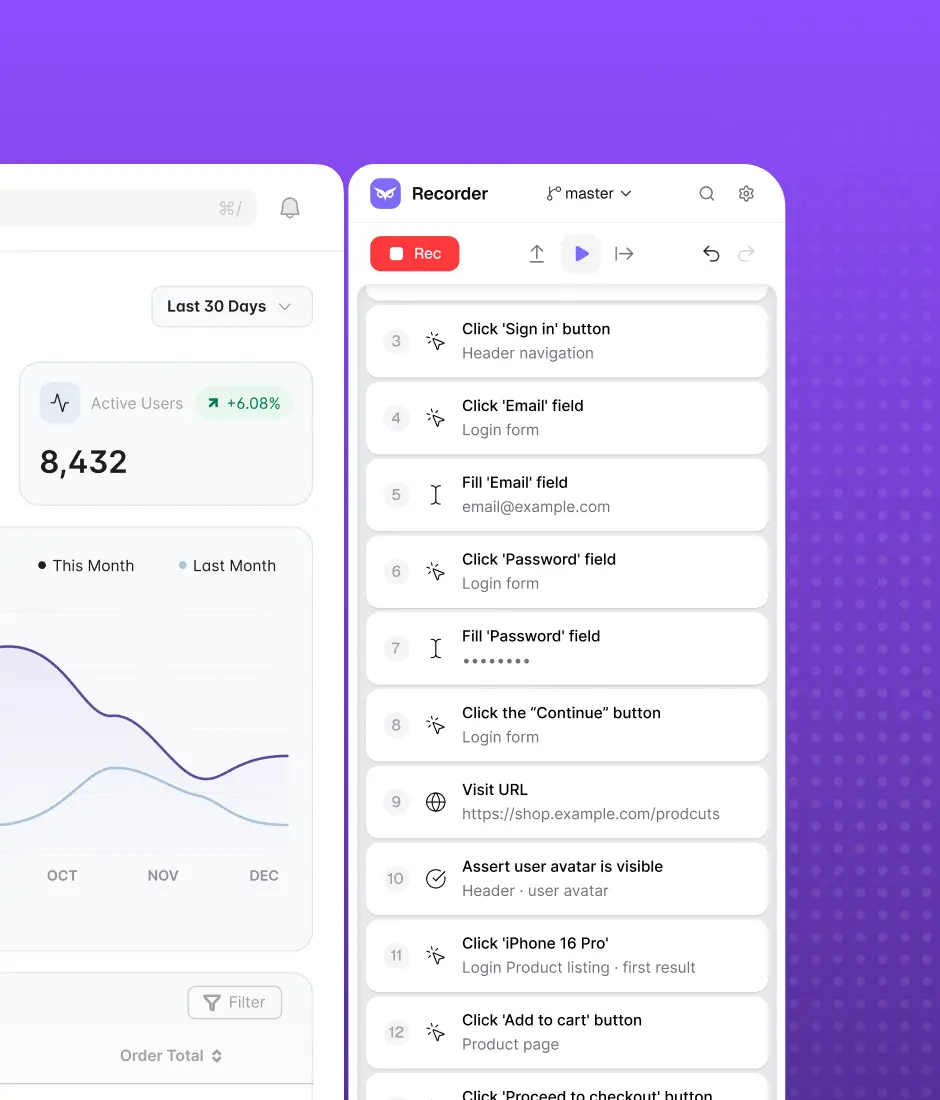
Instead of relying on manual scripting, modern solutions allow anyone on the team to capture real user journeys directly from the browser.
- No-code recording: A product manager or QA engineer can record a critical checkout flow in minutes using the Recorder feature. The system automatically converts that recording into an executable test.
- Expert-guided scaling: When you need to expand that coverage across multiple datasets and alternative user paths, you do not need to build a 100-employee QA team.
Scaling test execution
The CI/CD compute, browser farms, parallel execution nodes are another cost center. Smart testing platforms have clouds, which eliminates upfront hardware costs and enables parallel test execution.
Flaky tests running on under-provisioned infrastructure can cost 750 USD in wasted manual triage time in a single run.
And modern tools use their clouds and add another benefit — actionable reporting. The engineering team receives immediate, clear feedback, complete with logs, screenshots, and video recordings. When infrastructure management and false-positive triage are handled externally, your QA team stops managing servers and goes back to managing product quality.
Reducing manual script maintenance
A minor overhead drop doesn’t influence your test automation strategy. This, in turn, can persuade you that all these AI tools are useless, at least at their current level.
But properly tuned, these tools can decrease maintenance effort from 70% to less than 10%, and your teams can focus on expanding coverage and improving quality.
Assume the team spends ~USD 12,700 per sprint on maintenance. What if we say that they can reclaim most of that budget — and redirect it toward the 15 to 30 uncovered scenarios that pile up every release cycle?
AI tools have self-healing scripts that adapt to UI changes automatically. And our team has been working with different automation models for 16 years, so we have also learnt how to significantly reduce the set-up time.
Monthly testing & QA content in your inbox
Get the latest product updates, news, and customer stories delivered directly to your inbox