

7 ways to eliminate QA bottlenecks and speed up testing

Dmitry Reznik
Chief Product Officer

Summarize with:
Bitrise analyzed 10M+ builds over the past three years and found that mobile CI pipelines quickly have become more complex (+23% increase in the last year). At the same time, the number of teams experiencing consistent test flakiness also increased from 10% in 2022 to 26% in 2025.
Quality has always been important (we believe so). And it’s still gold in the vibe-coded apps era. However, in many teams, software testing becomes one of the biggest bottlenecks in the process.
Even with copilots, even with agile workflows, the verification pipeline remains stuck in a legacy cadence:
- Regression testing takes too long: Running comprehensive end-to-end checks successively takes days.
- Many companies have an unhealthy QA to dev ratio: Engineering headcounts frequently scale while QA resources often remain static.
- Manual testing gains a brake’s reputation: Even without mentioning mental fatigue and extraneous workload, relying on human execution to repeatedly click through complex onboarding obviously breaks under any serious product scale.
The trick is that compute costs are visible, teams’ productivity is not, at least not always. Atlassian recently got their users in on 150,000 developer hours wasted annually investigating flaky failures in a major repository.
When teams ignore these QA bottlenecks, this degrades all metrics and, at the end of the day, profit.
This guide explains seven practical ways engineering teams eliminate these bottlenecks and speed up testing.
1. Automate repetitive testing tasks
Manual testing scales badly. In SMEs, often the same QA engineer who runs 60 test cases per day at the beginning of the week is also running the same 60 test cases at the end of the week, with compounding fatigue, documentation, and narrowing attention.
In practice, a QA engineer usually validates about 20-30 critical flows without compromising quality. A random SaaS fitness app requires hundreds of regression checks across browsers, devices, APIs, permissions, and integrations after every release.
What “repetitive” means at scale, and what test automation brings to the table
Teams repeatedly run the same validations: login and authentication, onboarding, checkout, role permissions, CRUD operations, etc.
At a small scale, manual execution, by a stretch, feels manageable. At the product scale, the function needs to be upgraded as well.
The mentioned SaaS fitness project with 18 months of development history might have 300 to 500 testing scenarios. Executing the regression cycle manually consumes the QA sprint before new features get any coverage.
This is what automation targets: deterministic, repetitive scenarios where the expected outcome is fixed, and the execution adds no significant value.
A script running the same checkout flow for the 40th time is more reliable than a human running it for the 40th time.
Because human execution introduces variability:
- missed validations
- inconsistent execution order
- skipped edge cases under time pressure
- fatigue-driven mistakes during repetitive runs
Automation removes these constraints.
Measurable impact of automated testing
The 2024-2025 World Quality Report by Capgemini names legacy architecture among the top bottlenecks for scaling software testing, and 68% of respondents are using GenAI to speed up the QA process.
Automation complements QA engineering:
- Regression suite on every commit or merge: The 300 prioritized scenarios that need to pass before release.
- Cross-browser and cross-device simultaneous validation: Scenarios that would multiply manual execution time by the number of configurations.
- API response validation: Deterministic checks that a human executes exactly the same way every time.
Automation doesn’t handle exploratory testing, usability evaluation, judgment calls about whether a UI behavior “feels right”, accessibility review, or the entire coverage strategy.
2. Prioritize critical user workflows
Many QA teams slow themselves down by treating every test as equally important.
A suite with 2,000 tests is not by default better than one with 400. Business context makes the difference. Coverage depth on low-risk peripheral features, combined with shallow coverage of payment and authentication flows, brings about high test count and high production incident rate simultaneously.
The cost of testing without prioritization
At the bottom line, it’s time, money, and an exhausted team.
When your QA squad covers whatever a dev team just built, or whatever just broke, they accumulate coverage in proportion to development activity rather than in proportion to user-facing risk.
Features that shipped early and attracted engineering attention have deep coverage. Features that landed under deadline pressure have a happy path test and usually no edge case validation.
There’s also a direct pipeline cost. Running 2,000 tests on every PR adds execution time without adding a proportional risk signal. A test that validates a rarely-used report export format is not the same bottleneck risk as a test that validates checkout session handling.
Prioritize testing based on:
- revenue impact
- user frequency
- operational risk
- historical failure rates
- production incident history
Critical workflows to pay attention to:
- authentication
- onboarding
- payments
- checkout
- account management
- core CRUD operations
- integrations
Low-impact flows still matter, but they shouldn’t block delivery velocity.
3. Run tests in parallel
On a 600-test end-to-end testing suite where each test averages three minutes, that’s 30 hours. Sequential execution means 30 hours per functional gate for any team shipping more than once a week.
Parallel execution removes that constraint — instead of one test running after the next, multiple tests run simultaneously. The suite finishes when the last test is finished.
The math of the two testing types
- 600 tests x 3 minutes each, run sequentially: 30 hours
- 600 tests / 20 parallel workers: roughly 90 minutes
- Across 60 workers: ~30 minutes
- Across 120 workers: ~15 minutes.
The execution time budget becomes a function of available compute.
Four prerequisites for stable parallel execution
- Design independent tests: A test should never rely on the preconditions set by a previous test, nor should it assume any specific execution order.
- Isolate test data: Do not use a shared staging database for parallel test runs. Instead, each test should dynamically generate its own unique test data at the start of the run and completely tear it down upon completion.
- Remove shared dependencies: Static variables, global caches, and shared singletons will leak state across parallel workers. Mock or stub external third-party services to prevent API rate-limiting.
- Structure test suites properly: Group tests logically. Execute fast, critical smoke tests first to provide immediate pipeline feedback, and balance heavier end-to-end tests evenly across your available workers to prevent execution bottlenecks.
4. Shift testing earlier in the development cycle
Let’s face it, 90% of teams know testing should happen earlier (at least, they know in many projects early CI/CD testing makes huge sense). Yet, most teams still test late.
The reason isn’t a lack of awareness, it’s often a lack of resources, legacy planning practices, and high cost of reteaching the team.
From the very beginning of 00s, a story has been circulating on the internet based on IBM Systems Sciences Institute research. They found that the cost to fix a bug found during implementation is roughly six times higher than one caught during design. A bug that reaches post-release production is even more pricey — up to 100 times higher.
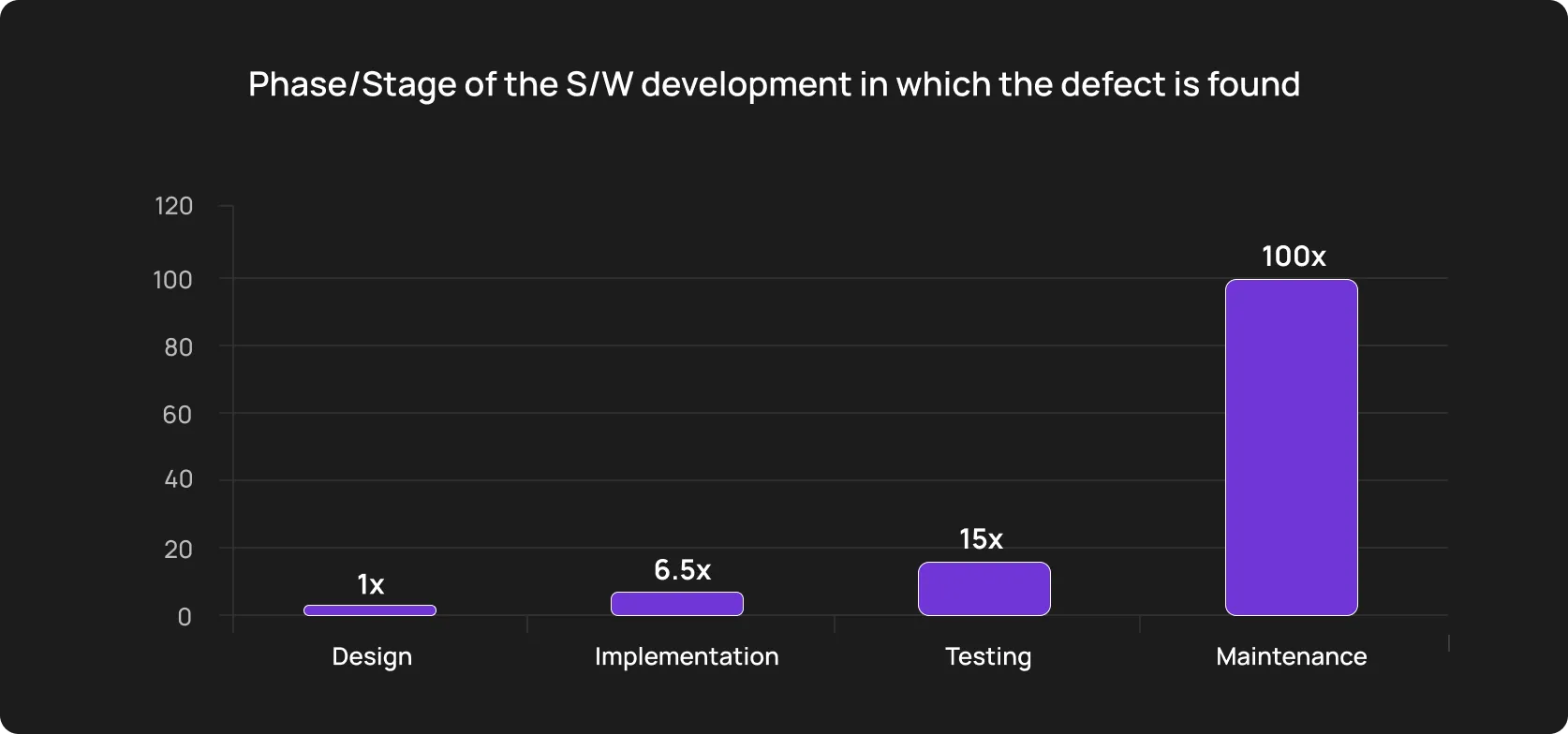
NIST’s research on software testing infrastructure confirmed the same directional finding independently. These multipliers reflect the compounding cost of context reconstruction. The core pillar is the engineering time required to trace a production defect back to its origin across multiple layers of merged code.
Last year, Tricentis conducted a survey on software quality. 40% of respondents said poor software quality costs them USD 1M+ annually.
What “testing late” looks like
You can recognize it: A dev team completes a feature, opens a PR, and the first automated signal the team gets is from a CI pipeline — if one exists and is comprehensive enough to cover the new scenario.
Then the team reviews PR for code quality, merges it, deploys to staging, and a QA engineer picks it up for manual validation.
Note: the developer has completed two more tasks. When the QA engineer finds a bug, the round-trip to the developer costs context reconstruction time on top of fix time.
The cognitive cost of a forced context switch is 15 to 25 minutes of recovery time per interruption. Now imagine a regression testing sprint where QA is routing bugs from features completed 5 days ago.
So, we see that the bottom line is a workflow sequencing or even a business process system.
What shifting left changes in practice
Shift left is not a standard buzzword, but it is already used loosely enough to lose its sharp meaning. In plain words, it is pushing the validation into every stage of the development workflow. The earlier you begin, the better.
It usually has three layers:
- Unit and integration test ownership: Developers write tests for the code they produce. These run locally before commit, and again in CI on every push. A developer who introduces a regression sees it before the PR is opened.
- Acceptance criteria definition: QA engineers are involved in sprint planning and requirements review as contributors to the definition of done.
- Automated testing in the PR pipeline. Unit tests, contract tests, and targeted integration tests run on every PR. This way, feedback loop is fast and measured. A developer who opens a PR and sees green checks has a meaningful coverage signal before a human reviewer has looked at the code.
The business impact beyond the fix cost
The cost-per-defect argument is compelling but incomplete. To get the fuller picture, you should look beyond engineering logs.
Release delays caused by late defect discovery compound across quarters. A team that consistently finds bugs in staging runs a QA cycle that adds days to every release.
Production incidents carry costs beyond the fix: customer-visible failures, support volume spikes, potential SLA breaches, and the reputational cost with enterprise customers who track incident history during renewal conversations. If you operate in fintech, healthtech, miltech, that might also carry compliance implications.
5. Improve collaboration between developers and QA
To transition from QA-as-a-downstream verification phase to an effective, continuous QA process, you need to nurture true shared ownership and create predictable patterns.
Better communication won’t work as it’s too vague. Below are three hands-on tips to make this transition a bit easier.
How to upgrade communication between devs and QAs
1. Have QA review test coverage at PR open
We move from the typical PR review sequence (developer writes code, opens PR, waits for code review, QA tests after merge) to closing the coverage gap — when a PR is opened, a QA engineer does a five-minute coverage scan (to draft a test plan).
- PR includes tests for the primary error states? Checkmark.
- It cover the permission boundary? Checkmark.
You got the system.
Less than ten minutes, but even this effortless move spots coverage gaps.
2. Assign flaky test ownership and lock in the component library
A QA engineer shouldn’t be the owner of the flaky test, as this creates a structural disconnect — the person debugging the test is rarely the person who introduced the instability. The investigation involves reconstructing intent and understanding unfamiliar code paths.
So, when test flakiness correlates with a specific commit (which it usually does — most flaky tests are stable before a particular change and unstable after it), ownership goes to the developer whose commit introduced the regression.
This also changes how developers think about tests while writing code, transferring the definition of done from a theoretical field to a practical one.
Standardize testability hooks in the component library. Developers should embed unique, permanent identifiers into UI elements during development.
This eliminates the fragile reliance on CSS selectors or auto-generated class names that break on every build.
3. Track coverage debt as engineering technical debt
Coverage gaps managed on a QA team’s internal backlog are often invisible to engineering leadership and to sprint planning.
…until a production incident makes it everyone’s problem.
File coverage gaps as technical debt tickets in the engineering backlog (if you haven’t yet), attached to the feature they belong to, with the same visibility and prioritization weight as code debt.
This does two things: It makes coverage debt visible to the people who control sprint capacity, and it distributes ownership.
6. Reduce flaky or unstable tests
Flakiness increases globally. In recent years, we witnessed the creation of smarter CI tools, the development of AI-powered testing, and flakiness in software testing is still here.
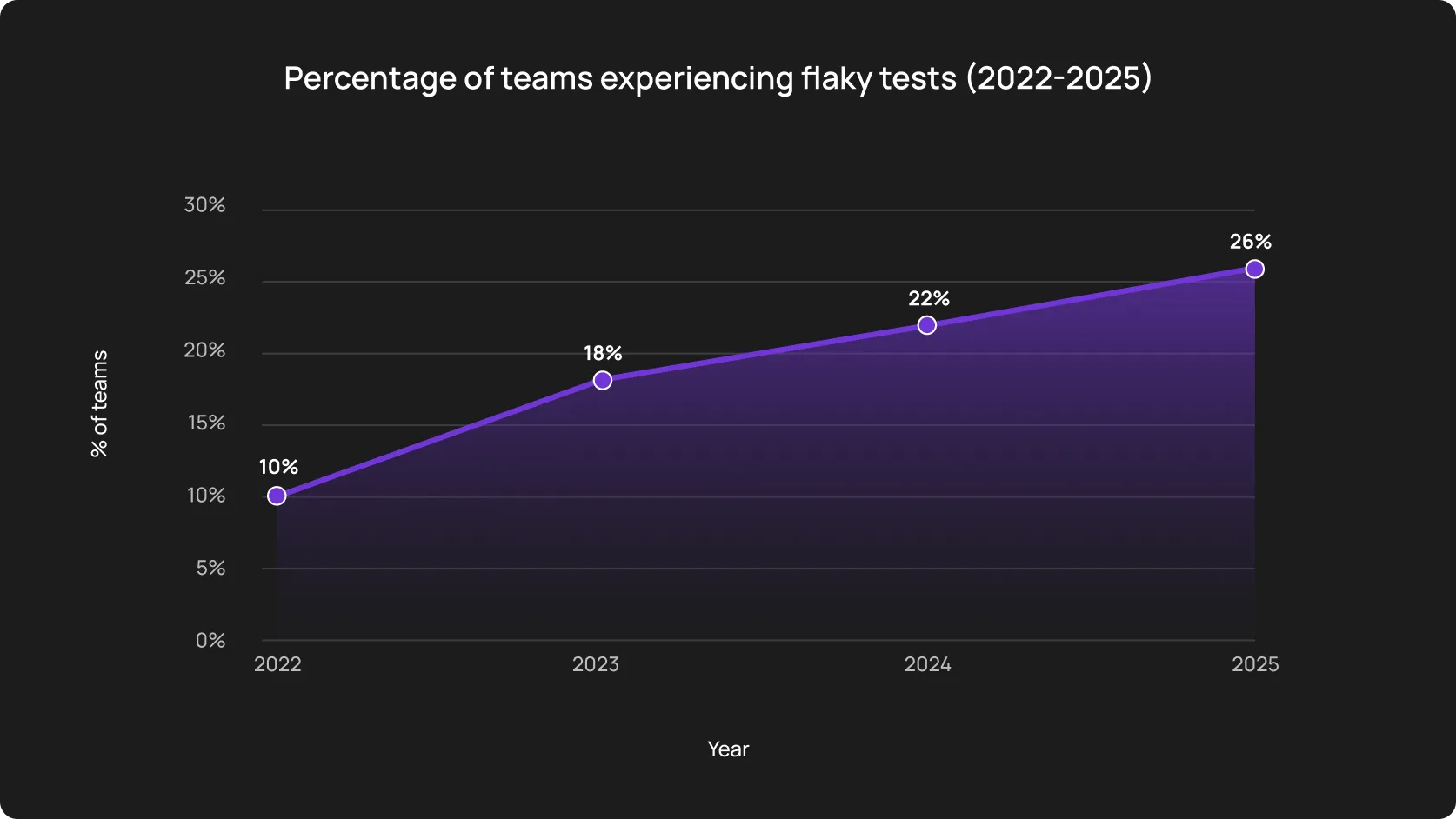
Engineering teams burn hours of valuable engineering time debugging phantom issues that disappear upon a simple pipeline rerun.
The true cost of flakiness is the erosion of trust — when a test suite fails repeatedly due to timing issues or unstable element locators, developers might start ignoring CI alerts entirely.
Stable tests remain the fundamental requirement for efficient automated testing. Otherwise, the deployment pipeline becomes a source of irritation during retros.
7. Use a scalable testing infrastructure
A team can prioritize and automate correctly and even write stable tests, but still have a bottleneck if the process is physically flawed. For example, tests run consecutively on an underpowered CI runner or serially across browser configurations, which severely slows down testing time.
Top three infrastructure problems
- Sequential execution on single runners: Obvious one — a suite of 500 tests averaging two minutes each runs for roughly 17 hours one by one. As many SaaS teams release weekly, that won’t work out. This may force teams to cut corners on end-to-end testing or, at least, accept that their CI is a formality rather than a gate.
- Inappropriate test automation for cross-browser and cross-environment coverage: Teams that can’t afford to run the full matrix on every commit typically default to Chrome-only coverage in CI and validate other browsers manually (or skip them altogether).
- Environment parity gaps: Shared environments are a really big deal. Whether you try to save on cloud compute or don’t have a crackerjack Architect, this approach will produce data collisions and non-deterministic test behavior. A test that passes in isolation fails in CI because another run deleted the record it expected to find. These failures mar trust in automation.
What this looks like in practice:
A team running tests in the Owlity cloud doesn’t have to manage browser driver versions, as well as maintain environment configurations. Tests fan out in parallel across isolated cloud workers, and results come back with logs, screenshots, and video.
The business value is clear: Instead of spending cycles on CI and environment drift, engineers focus on what to cover and when to run it. For teams that have treated DevOps overhead as a quiet tax on their QA function, shifting that time back to actual testing and quality work is what actually moves the needle.
How modern teams eliminate QA bottlenecks
Custom automation frameworks with open-source libraries require dedicated engineers writing boilerplate code, configuring reporting plugins, managing complex state teardowns, and doing other small and not-so-small things that actually hit a wall here — spending more time maintaining the test architecture than validating new features.
Not the best way to use high-paid expertise, nor to improve testing speed, either. Test automation platforms allow teams of all sizes to start automation fast, without complex frameworks, and without a large dedicated QA team.
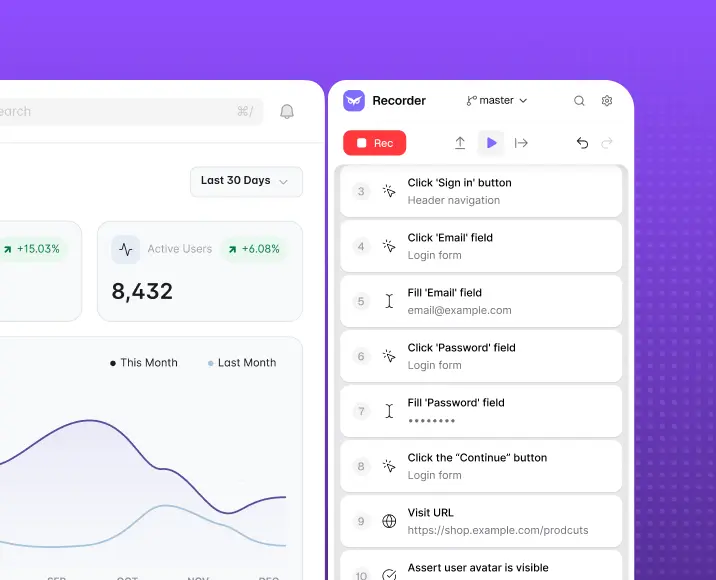
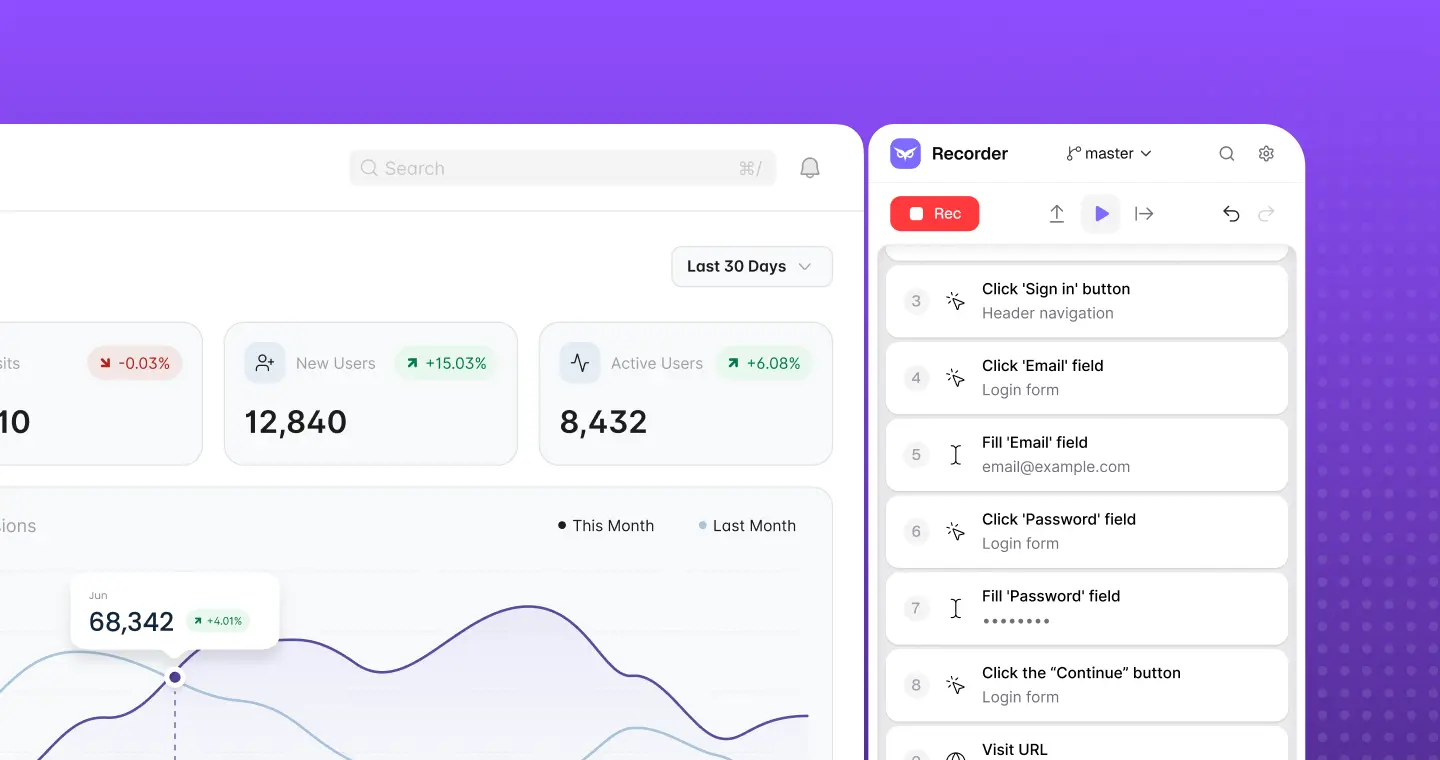
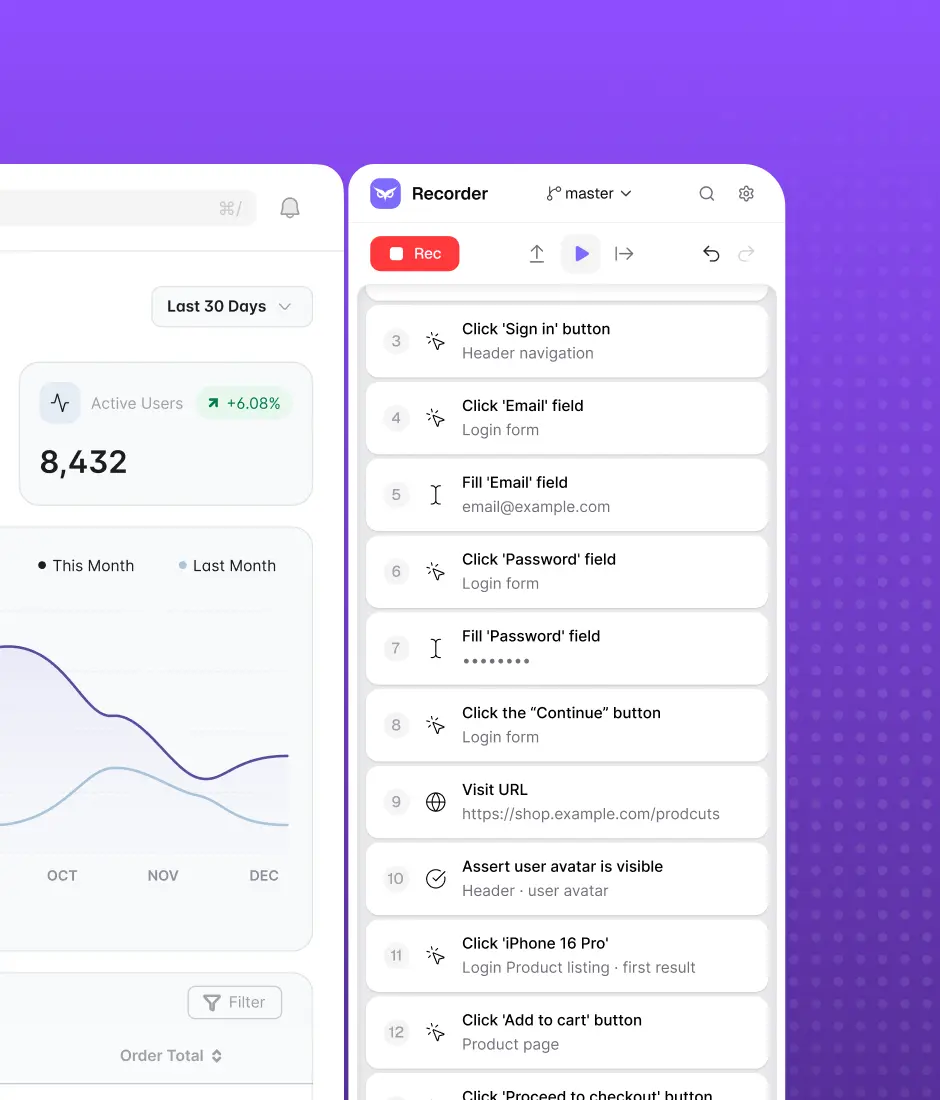
Flow is easy as pie: team member records a real user flow via the Owlity Recorder → in-built AI converts the recording into the ready-to-use test suites → QA experts expand automation → the team executes in the cloud simultaneously.
The killer feature of such automated testing is self-healing — the model adapts broken tests automatically. And when a failure is genuine, the team receives actionable reporting with logs, screenshots, and video to isolate the issue.
This approach scales with the product, helping you to multiply success, not keeping you from it.
Monthly testing & QA content in your inbox
Get the latest product updates, news, and customer stories delivered directly to your inbox