background
  1. Home
  2. /
  3. End-to-End AI Testing with Owlity
End-to-end testing platform

End-to-End AI Testing with Owlity

Record complete user journeys — or describe them and let AI build the tests. Expand to full coverage on demand, and ship knowing your product works the way real users expect it to.


Teams already testing with Owlity

SimpliField – Owlity Client
agorapulse – Owlity Client
Koopert – Owlity Client
ThirdHome – Owlity Client
dinova – Owlity Client
learningbank – Owlity Client
vcreative – Owlity Client
YOOBIC – Owlity Client

Solving modern end-to-end testing challenges — without a large QA team

E2E tests are expensive to build and maintain

background

Problem

Writing end-to-end tests from scratch requires framework setup, selector maintenance and constant updates every time the UI changes.

background

Solution

Record a journey or describe it in plain words — AI builds the test, no code. When the UI changes, AI finds elements by meaning; when the product changes, describe the change and the test updates. No script rewrites.

Critical user journeys go untested

background

Problem

Most teams cover the happy path and stop there. Edge cases, error states and secondary flows get skipped — until a user finds them.

background

Solution

Our QA team expands any flow to full coverage — every edge case, every error state, every boundary condition. Up to 95% of your critical journeys covered.

Why Owlity for end-to-end AI testing

backgroundicon

Covers complete user journeys

E2E testing isn't about individual components — it's about what happens when a real user moves through your product. Owlity captures full journeys from start to finish, including authentication, multi-step flows and cross-page interactions. Describe the journey and AI walks through it for you.

backgroundicon

Built for real-world complexity

Modern web apps have dynamic content, authentication flows, conditional logic and data-driven scenarios. Owlity handles all of it — variables, branching logic, DataTables, JS snippets for anything custom — and checks written in plain words, like "the order confirmation shows the right total".

backgroundicon

Coverage backed by 16 years of expertise

Building the happy path is the easy part. Our QA team builds out what comes after — the edge cases and error states that actually break in production. You get coverage that reflects how real users behave, not just how they're supposed to.

Platform

How to set up end-to-end testing with Owlity

From first flow to full coverage — step by step.
Step 1
Create
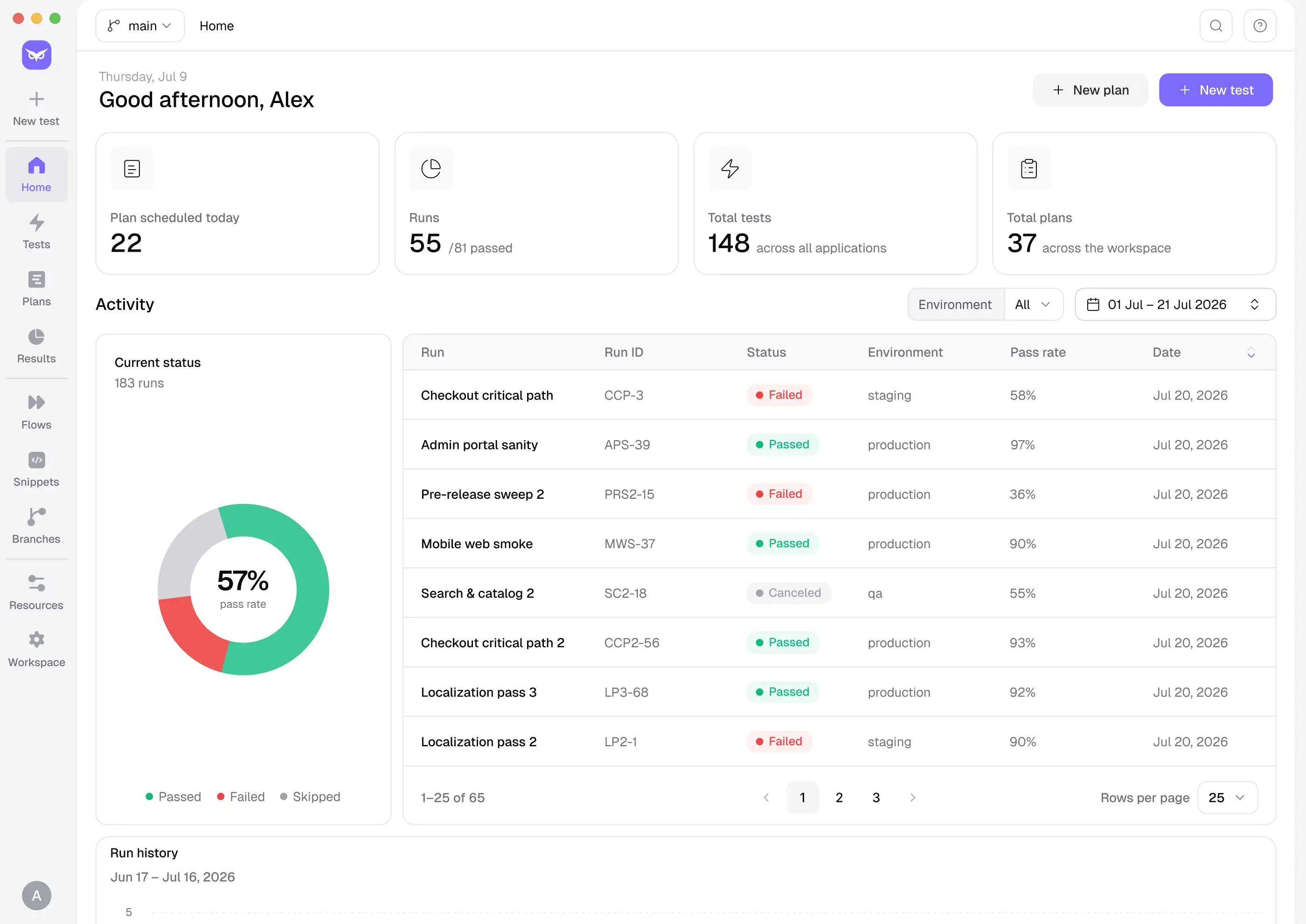
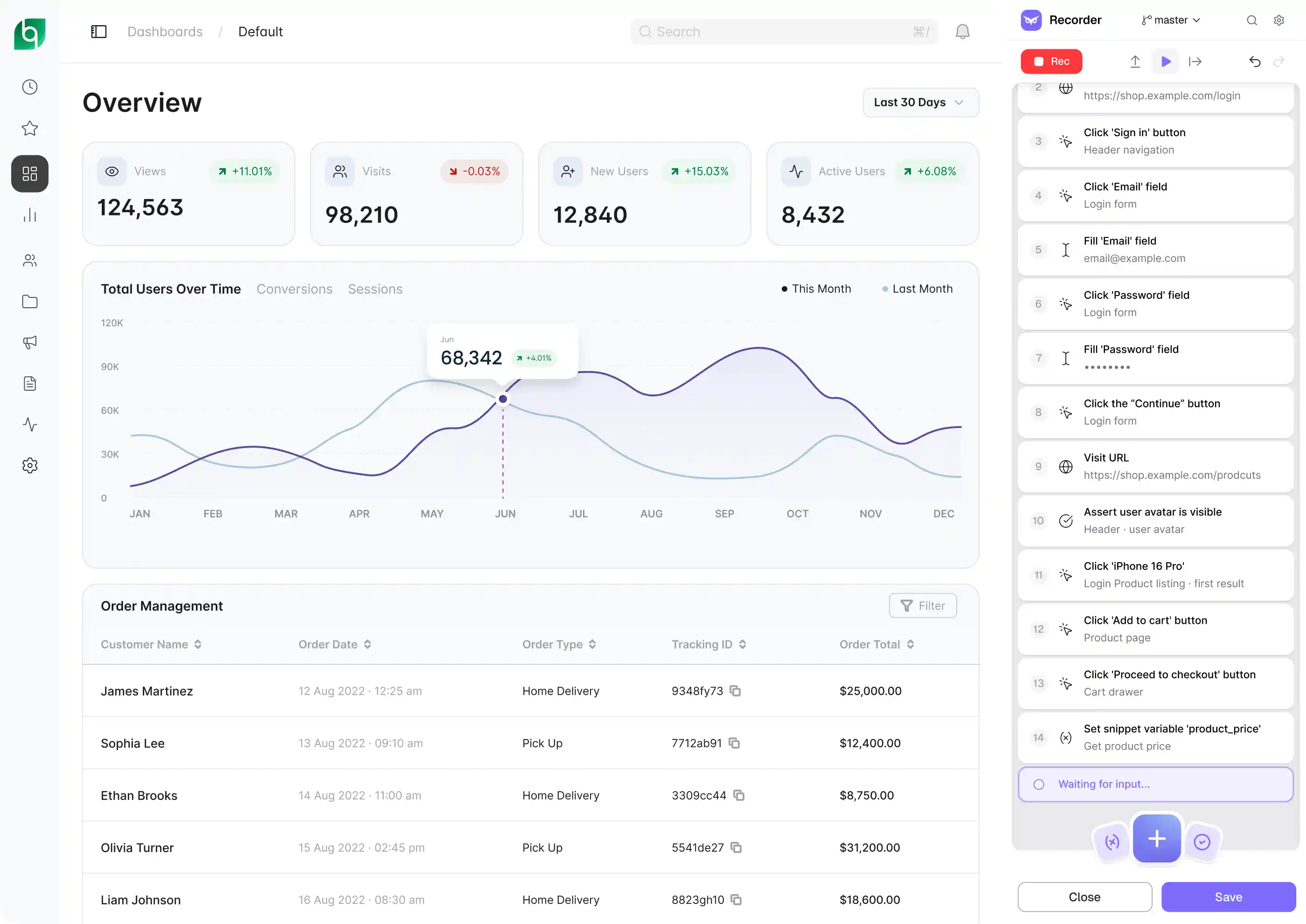
Install the desktop app and cover your most important end-to-end flows — signup to onboarding, product search to checkout, login to core feature. Record them, or describe them in plain words: AI shows a plan, builds the test in your app and verifies it with a run. Add checks at every key step, written as assertions or in plain words. Reusable flows for patterns like authentication, DataTables for different user types.
Step 1
Step 2
Expand
Submit any flow for expansion if needed. Our QA team adds edge cases, error states, boundary conditions and cross-browser assertions — turning a happy path into a complete end-to-end test. You review it, request changes if needed, and add it to your suite.
Step 2
Step 3
Run
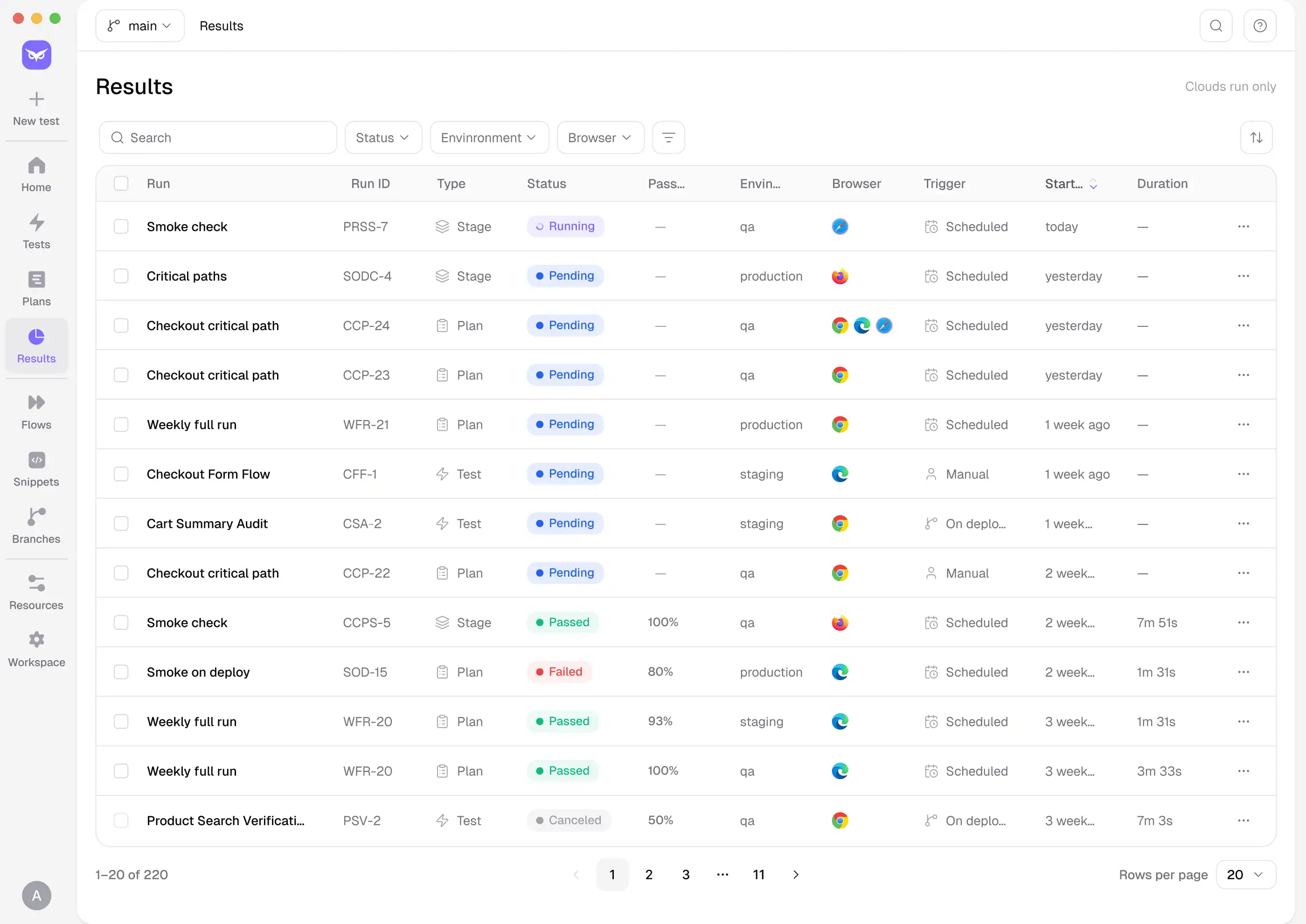
Link Owlity to GitHub Actions, Jenkins or Azure DevOps. Trigger your full E2E suite on every deploy, on a schedule, or manually. Parallel runs across Chrome, Firefox, Safari and Edge mean results land before anyone approves the release. When the UI changes, AI finds elements by meaning, so journeys keep running.
Step 3
Step 4
Review
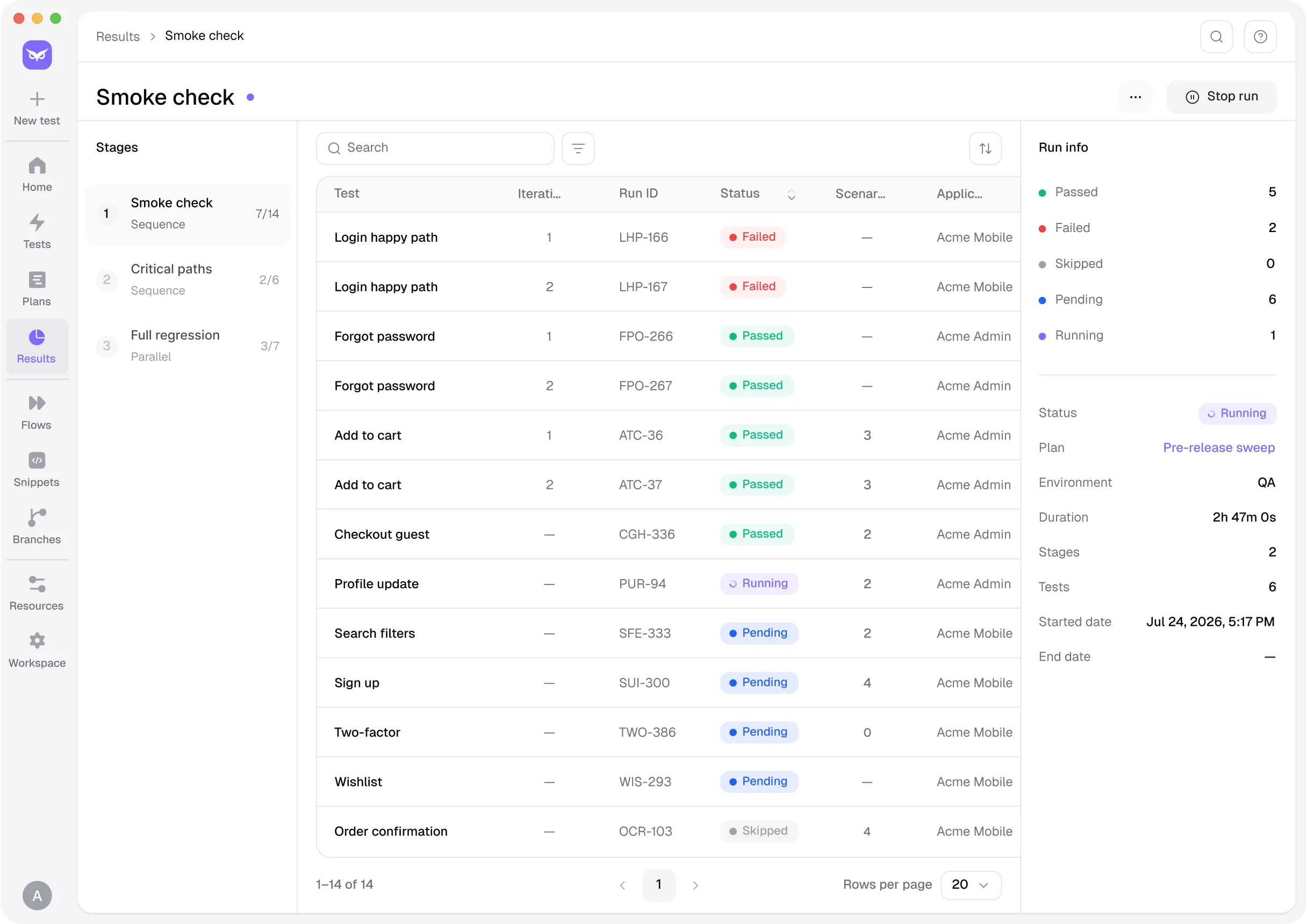
Every run produces video, screenshots, network logs and a step-by-step timeline. When a journey fails, AI gives you the likely root cause, what to check next and a failure label. Push failures to Jira or Linear, or export a CSV report for stakeholders.
Step 4

INTEGRATIONS

Fits into your development ecosystem

Owlity plugs into the tools your team already uses — CI/CD pipelines, issue trackers, and developer workflows — so end-to-end testing runs where your work already happens.

Works with

GitHub ActionsLogo
Azure DevOpsLogo
JenkinsLogo
JiraLogo
LinearLogo

Zero config to get started.

See integrations


backgroundbackground

Get started

Complete end-to-end coverage for every release

Describe your critical user journeys today. Expand coverage when you need it. Ship every release knowing your product works end to end.

FAQ

Questions? We have answers

Two ways. Record: install the desktop app, open your product in the built-in browser, and interact with it the way a user would — Owlity captures every click, input and navigation. Or describe: type the journey in plain words, AI shows a plan, builds the test in your app and verifies it. Either way, you can add assertions, variables and branching logic on top.
Yes. Owlity lets you create reusable flows — record authentication once and reference it across multiple tests. When login changes, you update it in one place and every test that uses it stays current.
Use variables for dynamic values and DataTables to run the same flow across multiple data sets — different user types, input combinations, or edge case values — without duplicating tests.
Yes. Drop in a JS snippet at any step for custom assertions, dynamic values or interactions the recorder can't capture. For simpler checks, write the expectation in plain words and AI turns it into an assertion. Full control when you need it — no code when you don't.
Usually it doesn't break. When an element can't be found the normal way, AI looks for it by meaning — a renamed button or a moved field still gets found, and the step shows its confidence and a screenshot. For bigger changes, describe what changed and the test updates; you see the diff before saving.
Configure your suite to run in parallel across Chrome, Firefox, Safari, and Edge from a single trigger. No separate test configurations, no additional setup per browser.
Every failure produces video, screenshots, network logs and a step-by-step timeline — and AI tells you the likely root cause, what to check next, and whether it's a product bug, a test issue, test data or the environment. Ask follow-up questions in chat. No reproducing it locally.
Yes. Owlity integrates with GitHub Actions, Jenkins, and Azure DevOps. Set your trigger — on every deploy, on a schedule, or manually — and your E2E suite runs automatically.
Yes. Run the same suite against staging, pre-production, and production from a single configuration and compare results across environments.

I have more questions. Contact us