

How to generate reliable end-to-end tests with AI

Dmitry Reznik
Chief Product Officer

Summarize with:
It’s not just the complexity that makes end-to-end testing expensive, but also the engineering time we need to write and maintain these tests throughout the product lifecycle.
If a senior QA engineer makes 120,000 USD annually, their hourly rate is ~60 USD. Scripting a single reliable end-to-end test for a complex flow usually takes 8 to 12 hours of coding, data staging, and pipeline integration.
In extreme cases, the total cost can reach about 500 to 700 USD per test, so the standard 200-test regression suite requires an upfront investment of ~100,000 USD. And this is without including endless maintenance cycles.
That was an extreme conditional situation; yet, in reality, the E2E test development still brings about significant time, attention of experienced pros, and money.
Wonder how much exactly your team can save? Try our calculator.
And here are some traditional constraints many QA leaders suffer from:
- Writing end-to-end tests manually forces engineers to write hundreds of lines just to navigate a login screen.
- A minor UI adjustment by the frontend team shatters brittle XPath selectors and requires adjustments.
- Keeping suites stable in CI environments is nearly impossible due to random network timeouts and data race conditions.
AI end-to-end testing changes this: instead of writing tests step-by-step, teams use machine learning to map application flows, generate stable interactions, validate business behavior, and auto-heal breakages.
In this guide: how to generate reliable end-to-end tests using AI QA and how to avoid the common mistakes teams make when adopting autonomous software testing.
Why E2E test generation is the perfect use case for AI
Artificial intelligence is like a new manager who has just landed a job at a factory. He’s smart enough to not write down how the factory works from others’ words.
He grabs his camera and walks the production floor, observes how machines interact, takes some notes on the workflow, and eventually understands where things break.
We’ve just described automated E2E testing. And below is why this technology perfectly fits continuous conditions.
E2E tests require understanding all product features
You definitely know that a very small number of users end their interaction with the software on the first screen/scroll.
That’s why a login test, for example, checks authentication services, session handling, redirects, and database states. A checkout test may touch inventory systems, payment APIs, tax calculations, etc.
AI checks these flows automatically by “walking the factory paths”: API calls, UI transitions, state changes, and many more. Your tech teams don’t have to investigate all the nuances of your product (actually, they have to, but in enterprises, for example, it’s challenging).
Anyway, if your development team is faster than your documentation, AI may become your go-to choice for testing.
E2E tests break when UI changes
Previously, it all began with CSS selectors, XPath expressions, and static attributes. They break — testers or developers should have been rewriting the entire suite sometimes.
The modern approach is semantic AI testing. The testing tool “understands” what has changed, because it refers to the database (previous logs, app documentation, etc.) to comprehend the purpose and function of each element.
Then, visual understanding: instead of targeting an element through its DOM path, the autonomous testing tool identifies components by context.
E2E tests require deep context
A proper E2E test must include more than individual clicks.
As a norm, there should also be:
- Page states
- API dependencies
- Conditional flows
- Data transitions
- UI responses to backend changes
This contextual awareness contributes to false positives prevention and improves assertion quality.
E2E tests take too much time and, hence, money to write manually
The test sequences can be too long for the feasibility of manual automation. So, there is a significant roadblock — human speed. Let’s compare.
AI needs human oversight. Yet, even with human review and refinement, teams typically see order-of-magnitude improvements in creation speed (sometimes up to 10x).
E2E tests often suffer from flakiness
Timing problems, asynchronous UI updates, environment inconsistencies are just a few of the most common flakiness reasons.
AI stabilizes this via:
- Dynamic waiting based on observed UI states
- Persistent retrying if a specific action/event in the app wasn’t completed
- Self-healing capabilities: when an element moves or an attribute changes, the tool updates tests and dependencies
From the outset, it observes network idle states and DOM changes and eventually eliminates the need for hardcoded sleep() commands.
What “reliable” means in end-to-end testing
Acceleration of test creation is good. Stable E2E automation is better. Because these are reliable tests is what actually moves the needle.
What we mean when we say “reliable”:
- Tests survive UI and layout changes: Design may change with iterations, but selectors remain stable. The test tool finds the target action, whether it sits on the left, on the right, or hidden behind a collapsed mobile menu.
- Tests handle variable content: The testing tool understands purpose: If an A/B test changes a call-to-action from “Grab two” to “Purchase”, it reads a literal string match.
- Tests work in CI as well as locally: Sequencing failures and environment drift create another common roadblock we all know as “it works on my machine”. Local tests pass mostly because the developer’s device is fast. A reliable test executes deterministically in a containerized, headless CI runner, handling concurrent data collisions smoothly.
- Tests reflect real flows: Engineering assumptions may be the wisest you’ve ever seen, but all paths should mirror actual user behavior, with erratic clicks, abandoned carts, and unexpected navigation paths. Developers tend to test the “happy path” exactly as they built it.
- Tests are easy to maintain: The system updates them proactively. When a business flow changes, the tool suggests the updated execution path.
How AI generates reliable E2E tests
Not visual understanding, nor test suite generation — a way more influential feature of artificial intelligence is the ability to understand how the product behaves and continuously adapt to changes.
Capgemini states that 77% of companies put their money and effort into AI-powered boosters for quality engineering. Because real autonomous processes improve test resilience and reduce maintenance costs.
This relatively young technology builds a behavioral model of the app and generates tests from that model. Now, compare this with rewriting tests every time a UI shift happens — like apples and oranges, aren’t they?
Flow discovery and mapping
Let’s skip the setup stage and data feeding and proceed directly to the first actions of an AI testing tool. One of them is crawling the app where the tool’s AI engine explores:
- User navigation paths
- Page transitions
- App capabilities
- Dependencies between features, app’s sections, and their business intent
- Journeys across multiple screens
- Component states and conditional behavior
The result is a behavioral map that describes how users move in your software. In medium-sized products, building such a map can take weeks of exploratory testing and documentation work — manual work.
AI significantly decreases this amount.
Semantic element recognition
AI targets genuine element parameters instead of fragile XPath.
Another modern challenge is the Shadow DOM, when elements are grouped in an isolated DOM tree that traditional locators can’t access directly.
Traditional tools (Selenium, Cypress, Playwright, Katalon) require explicit navigation: you must first locate the shadow host, then call getShadowRoot() (Selenium 4+) or use piercing syntax (>> in Playwright, or JavaScript to pierce the boundary). Closed Shadow DOMs are often impossible without developers’ hooks.
Instead of targeting an element through its exact DOM path, tools like OwlityAI analyze:
- Purpose: what action the element triggers
- Visual cues: text labels, iconography, position
- Structural context: surrounding components
- Behavior: how it reacts to interaction
Note: Even modern tools still use locators, but only alongside Machine Learning to detect shadow boundaries and automatically insert the correct piercing logic behind the scenes.
Behavioral understanding
Behavioral modeling has been gaining ground for at least 10 years. With modern technologies, it is going to become a significant driver in product development.
Advanced algorithms allow processing a vast amount of data, and machine learning capabilities allow modern testing tools to understand what success (in your specific case) looks like and to compare expected with abnormal feature/app responses.
As well as what should be treated as errors in a multi-step flow logic. For example, it comprehends that a 401 Unauthorized API response during a checkout flow is a critical failure, whereas a 404 on a tracking pixel is just noise.
Multi-language and multi-layout awareness
SaaS projects rarely target just one location. That means several languages and cultural nuances, which should be mutually harmonized and coordinated. In practice, that includes editing text fields, element sizes, and sometimes even navigational paths.
A few examples of what AI end-to-end testing handles:
- Language changes
- Translation-driven UI shifts (CTAs on buttons, names in menu, etc.)
- Dynamic content variations (it’s irrelevant to show Black Friday promotions in regions where people are in the dark about the day)
- Responsive layout differences across devices
AI-generated tests remain functional because processing activities rely on context rather than exact strings or coordinates.
Automatic validation generation
After understanding flows and behaviors, AI generates validation logic:
- Assertions verifying successful actions
- Checkpoints between critical flow steps
- Expected state transitions
- Business rule validations
Self-healing for long-term stability
Modern AI test automation tools repair locators, flow steps, timing issues, and other affected elements after updated UI components.
If a core element moves, the tool attempts alternative interactions during the test run, updates the broken selector, and alerts you (and all contributors you added to the team).
Practical guide: How to generate E2E tests with AI
Theory is useful. But the salt of the AI-driven automation is its self-adjusting and the ability to repeat specific actions constantly without even a little shift. The 7 steps below aren’t the only way to build a real autonomous testing process, but you can start with this guide, and it can turn into your go-to plan.
Step 1. Identify the critical flows
One common problem here is too high expectations from the outset. “Cover 100% of the flows in 7 hours!” But another, more recent one is that engineers don’t want to lose their jobs to AI.
And your job in this case includes two parts: ensure that autonomous systems are productivity boosters, not their substitution, and start small, maybe even smaller than you cautiously planned.
Identify starting points by their criticality:
- signup
- login
- checkout
- payment
- onboarding
- dashboards
- account settings
You’ve probably noticed: these are the activation and revenue paths.
A small example: a simplified e-commerce flow looks like:
Login/Entering the Home page → Search product → Add to cart → Checkout → Payment confirmation
Do not attempt to automate everything, start with 5 critical journeys that represent the highest business risk/impact.
Potential trap: Automating highly volatile edge cases before locking down the primary transaction paths.
Step 2. Tune an AI testing tool to map the flows automatically
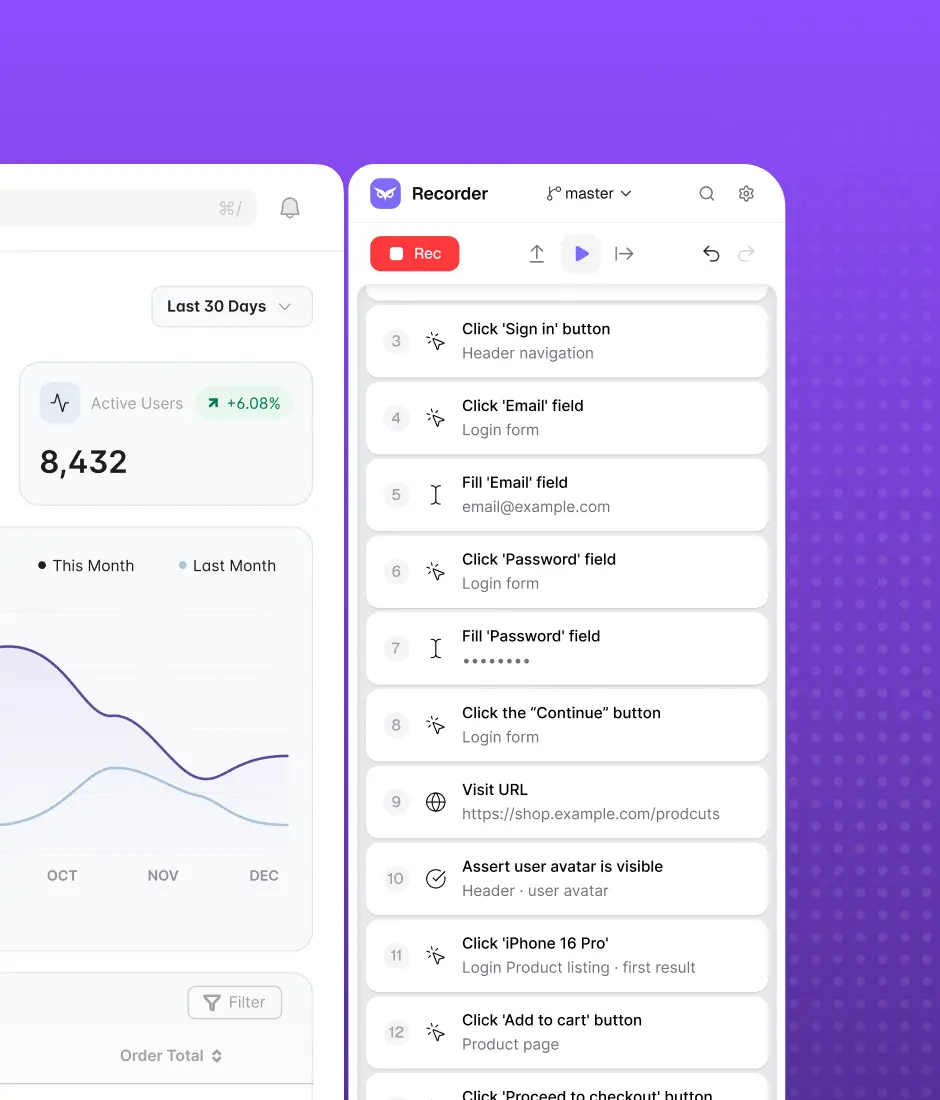
After determining the key journeys and setting up the tool, let it scan the application to record:
- Navigation logic between pages
- Transitions triggered by user actions
- API calls and backend dependencies
- Key interaction points (forms, buttons, modal states)
This often works simultaneously: the tool captures DOM mutations, network requests, and UI state changes and explores the app.
You’ll get a flow graph describing how users actually move through the system.
The technical nuance: Ensure your staging environment is seeded with valid test data. If the autonomous tool hits a database with empty inventory, the mapping will hit a dead end at the product selection screen.
Step 3. Generate initial E2E tests with AI
After mapping flows, it’s time for test suite generation.
An E2E test might include:
- Multi-step interactions (navigation, form submission, confirmations)
- Validation checkpoints (verifying login tokens, order confirmations)
- Scenarios where the app reacts to errors (invalid input, expired sessions)
- Data-driven variations (different roles, currencies, user states)
Such tests typically include state-aware waits, meaning the system waits for events like API responses or DOM updates rather than fixed delays.
Step 4. Validate the generated tests
AI performs better when it has robust domain knowledge… and the nuances of your app’s current state, the market you operate in, and user behavior trends.
So, it’s always a good idea to double-check the suites generated by the model and let it learn from your feedback.
When validating AI’s tests, focus on the following:
- If the overall behavior matches the user story
- Adjust thresholds and assertions if needed
- The model’s logic
- Domain-specific checks
For example, the testing tool knows the server returned a 200 OK status. The engineer knows if the tax calculation on the checkout payload is mathematically accurate.
Such business validations often come from product knowledge rather than UI observation, so the strongest approach combines AI for generation + human expertise for validation.
Step 5. Integrate tests with CI/CD
Autonomous systems can’t be autonomous if you trigger them every single time. So, make sure your system is integrated into the CI/CD pipeline.
The go-to plan:
- Run focused smoke tests on each pull request (remember about 5 vital flows we chose during the first step)
- Execute full regression suites daily or nightly
- Use AI prioritization to run only the tests impacted by the specific code changes for speed
The pitfall: Running a 45-minute E2E regression suite on every single commit destroys developer velocity. Use smart selection to keep PR feedback under 10 minutes.
Step 6. Enable AI self-healing
Without semantic AI testing, many automation efforts are just boiling the ocean. Real automation cuts the wasting of your working time, not doubles it.
Modern tools repair tests that covered:
- renamed CSS classes
- modified UI layouts
- new component structures
- asynchronous timing changes
Example: If a login button moves from one container to another, but still serves the same purpose. Tools like OwlityAI locate it through semantic context rather than failing due to a broken selector.
Step 7. Monitor test stability and drift
The final stage is when reactive QA becomes a predictive and stable one.
Begin tracking the core quality metrics, slightly adjusting them to your business stage and QA goals:
- flakiness rate
- inconsistent flows
- UI updates affecting interactions
- backend response changes
When you can stabilize:
- A checkout flow suddenly requires an additional verification step
- An API response format changes
- A dashboard widget loads more slowly than usual
The technical nuance: You must distinguish between an intentional feature update (requires a one-click approval to set a new baseline) and an accidental regression (requires a bug ticket). Tracking these metrics separates pipeline noise from genuine product risk.
Tips for ensuring long-term E2E test reliability
If you think the main benefit of AI QA is time savings, you will be pleasantly surprised. Many tech leaders are sizing up different tools by their long-term reliability, how well their tests are structured, the ease of validation, and CI.
Given the pace of AI penetration into our everyday lives, it makes sense to dive deeper into the nuanced usage — we’ve listed tips, basic and more sophisticated ones, so that you can have a more detailed picture.
1. Keep flows short and focused
You’ve probably heard the expression “endless path”. This is an undesirable pattern when the test is too long to ensure an unbiased result and the following interpretation.
Compare feasibility
2. Use test data isolation
Artificial intelligence creates more value in predictable environments. Shared accounts and databases multiply noise and misalignment. Eventually, it can bring about to a collision.
Provide the tool with scripts to seed fresh API payloads or spin up isolated database fixtures before every execution.
Example:
Instead of creating a new project through UI each time, create it via API in the test setup:
POST /api/projects → project_id
Then use the generated project_id inside the UI test.
3. Always approve critical AI updates
The logic of the testing routine should remain human responsibility.
What to review definitely:
- payment confirmation validations
- permission checks
- pricing calculations
- API response assertions
Build the following workflow: AI proposes the change → QA reviews it → CI merges after approval
4. Use AI risk scoring in CI
Another bad side of massive suites is delaying developer feedback.
Predictive test feature analyzes a Git commit and assigns a risk score to existing tests, running the highest-risk scenarios first, critical user journeys second, and extended coverage afterward.
5. Revisit test priorities quarterly
Products get new features, new users, and, hence, new behavioral models. An AI-generated test that verified a core feature in Q1 might become a roadblock in Q4, simply because it doesn’t properly cover updates. As products evolve, test suites must too.
Common mistakes when generating E2E tests with AI
Any modern technology is set to ease our lives first. But another side of the coin is quality. In software testing, quality concerns become disconcerting.
GitClear collected 153 million changed lines of code that were written with coding copilots, and found a massive increase in code churn — the code that is rewritten or reverted within two weeks.
Also, the percentage of added lines and copy-pasted code is increasing in proportion to updated, deleted, and moved code.
And now, just imagine your favorite shopping app won’t be properly reviewed by a seasoned professional. Will you dare to pay by card another time?
Insufficient code review
Accepting AI-generated scripts at face value may significantly increase false positives. Especially in terms of business logic.
The test can be absolutely correct, but it just verifies a useless scenario. Engineers must audit the assertions to ensure they validate actual business logic.
Over-automating low-value flows
Stems from the previous one, but with more financial feasibility thoughts. Implementing an autonomous tool to test the Terms of Service modal doesn’t seem like the most effective use of money.
Automating low-impact flows also burns compute hours and clutters the pipeline. Direct the AI processing power toward revenue-generating paths and complex state transitions.
Ignoring environment instability
Artificial intelligence can’t fix a dying staging server. Ensure the test environment doesn’t drop database connections or show 503 timeouts, so that AI won’t learn the failures as the baseline. You must stabilize the infrastructure before deploying autonomous tools.
Relying on text-based selectors
Targeting literal string matches neutralizes AI’s greatest advantage.
So, selectors like: //div[3]/button[2] or .btn-primary:nth-child(4) are brittle.
AI-driven testing should identify elements through semantic meaning and visual context, rather than DOM coordinates.
Skipping CI integration
An AI test suite running locally on a QA engineer’s laptop provides zero value at scale.
Automation must be connected to CI so that:
- PRs trigger smoke tests
- Merges trigger regressions
- Failures block unstable builds
If the tests don’t execute inside a containerized pipeline blocking bad pull requests, they are vanity metrics.
Using outdated test data
Smart (and sometimes costly) AI testing agents need a proper database to deliver. If it contains expired credit cards and suspended user accounts, expect immediate failure.
When AI alone is not enough
Contrary to what is coming through in the media about AI, artificial intelligence is a multiplier, not a replacer, at least for now.
That is, it significantly accelerates the testing process, but it can’t solve the system’s instability. Most failed automation initiatives don’t fail because of tools but because the product and engineering/operational teams are not mature enough.
AI end-to-end testing won’t deliver when:
- The project has inconsistent environments: Staging behaves differently run-to-run, data isn’t reset, APIs require serious double-check.
- Core flows are also unstable: Login, checkout, and other key paths change every sprint.
- The app runs on immature backend logic: APIs return inconsistent responses or lack clear contracts.
- Business logic is unclear, too: You just don’t know what real success looks like. Or — you change your bottom-line success metrics weekly.
- UI changes too frequently: Too many shifts in layouts or components create too much noise.
- There is no QA owner: As we stated, human validation is crucial. But from the operational perspective, it’s vital to have “an orchestrator” who will lead the entire testing transformation process, accounting for wins and screws.
So, once again: stabilize first — then automate.
That means going through the previous list in reverse:
- Lock core flows (have stable versions of login, onboarding, checkout, and other critical paths)
- Stabilize environments (ensure consistent staging builds, deterministic deployments, and reliable test execution)
- Control test data
- Document success criteria for critical flows, API responses, and the testing initiative in general
- Assign the owner
After that, all falls into place.
How OwlityAI generates reliable E2E tests
OwlityAI focuses on the part most teams struggle with: creating E2E tests plus keeping them reliable during product evolution.
Key capabilities include:
- Semantic UI understanding: Identifies elements by role and intent → it won’t confuse the submit payment button with the open dashboard path.
- Visual and structural element detection: Combines layout, text, and component hierarchy to locate elements reliably across UI changes.
- Automatic flow mapping: OwlityAI scans the app ongoingly and analyzes how real users interact with the interface/functionality. Then, builds a flow graph of navigation, transitions, and dependencies.
- Self-healing: “Heals” all tests affected by UI updates, layout shifts, and interaction changes on its own.
- Test prioritization you can trust: Assess the change impact and historical data to run the most relevant tests first and postpone other suites so that you save memory, time, and, hence, money.
- CI/CD integration: Pull request/build happens → OwlityAI starts testing autonomously, speeding up feedback.
- Continuous stability scoring: Tracks flakiness, failure patterns, and flow reliability. You can use these insights in product development.
Apart from faster test suite generation, OwlityAI develops a stable yet flexible testing system that can adapt with the product.
Bottom line
The comprehensiveness of any process is one of the main things all teams want from AI. While we can’t state there is a set-it-and-forget-it autonomous E2E testing, we believe autonomous systems are set to drastically accelerate product development and improvement.
With today’s economic shakes, stable E2E automation can become a little pocket of calm in some sense.
Monthly testing & QA content in your inbox
Get the latest product updates, news, and customer stories delivered directly to your inbox